¶ Purpose
Track Chaos Ops prep items - photo received, paperwork, travel-style tasks, and other required checklist items - so everything is done before contest weekend.
¶ Before You Begin
- Producer has Chaos Ops enabled
- You're logged in as a contestant on that contest
- Know that producers update the official checkboxes; you review and follow up (usually by emailing the producers what they need)
¶ Step-by-Step Instructions
- Open My Contests and select your contest.
- Open Go Do the Things in the sidebar (only when Chaos Ops is on). You may also see a Go Do the Things checklist on your My Contests card - View details opens the same page.
- Read each prep item and its status.
- If Chaos Ops assigned you tasks, review those too - phase groups and due dates may appear when your producer assigned work to you.
- Complete anything on your side (send materials, confirm arrival, and so on).
- Contact your producer if an item should be marked complete or looks wrong.
- Re-check before travel / call time.
- Use Contest Details alongside prep for schedule context.
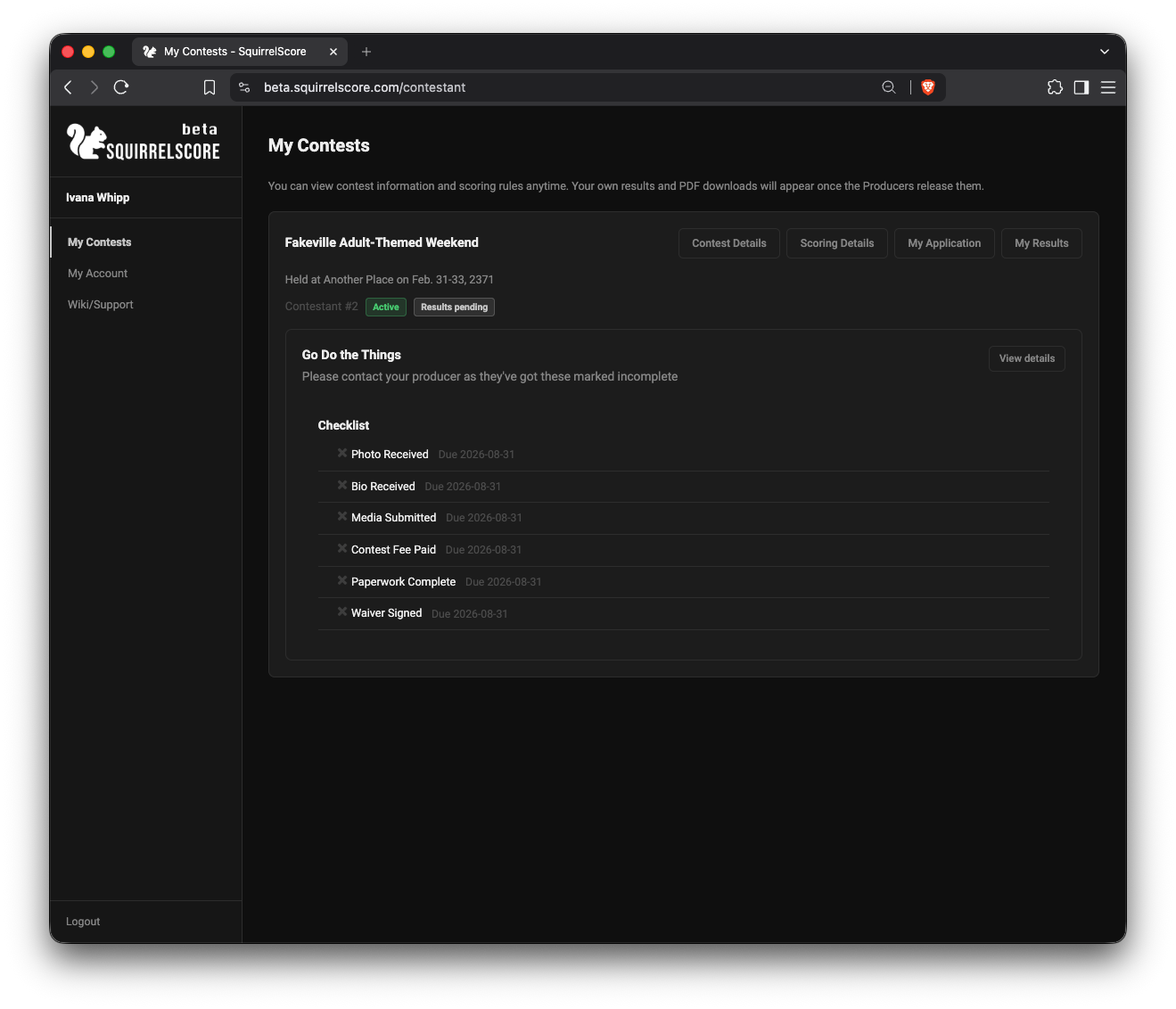
Contestant - My Contests
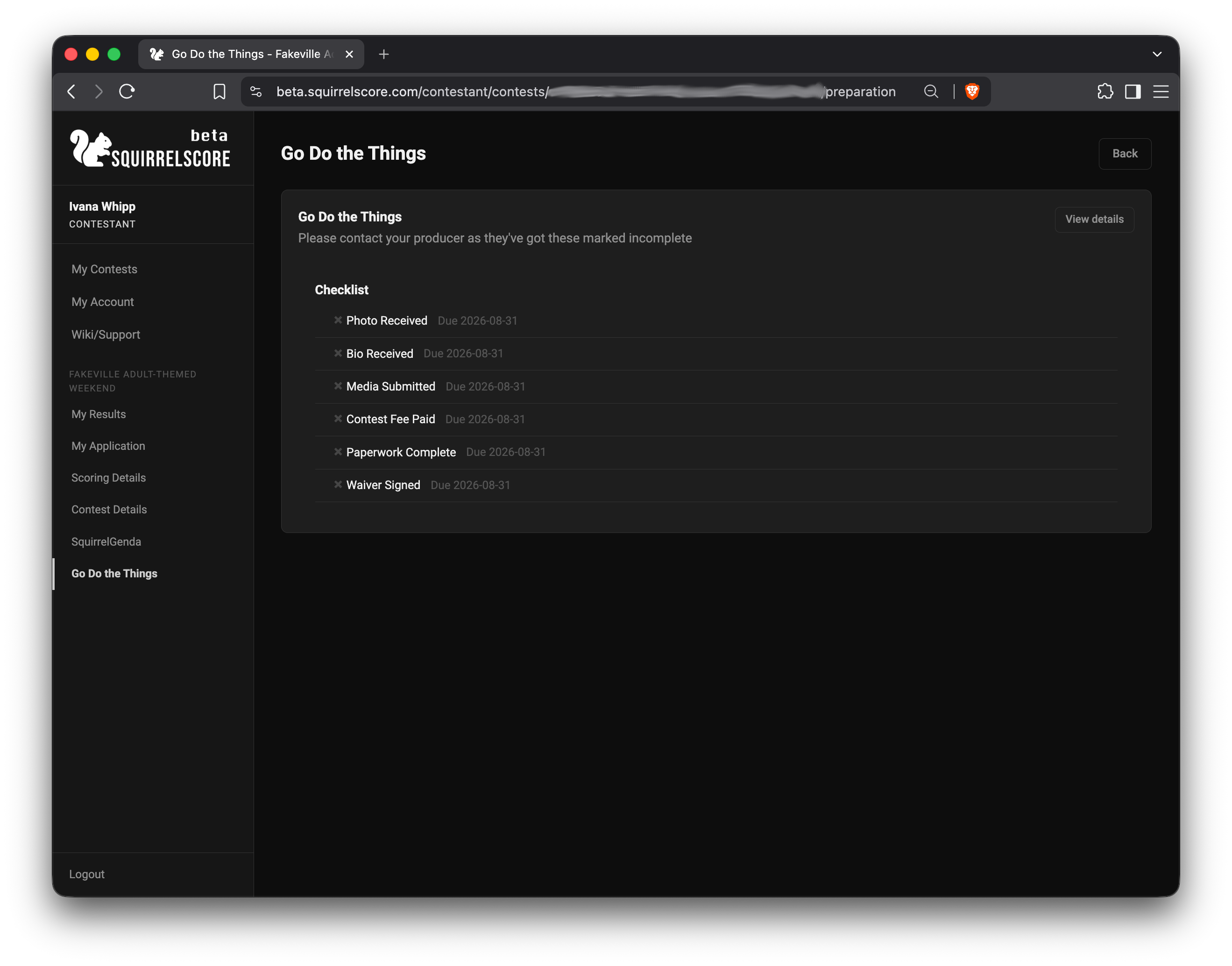
Go Do the Things - Details
¶ Typical prep items
Exact items vary by contest. Common themes:
- Photo / media received
- Paperwork or forms
- Travel / arrival confirmations
- Custom tasks your producer added
This page is prep only- not scoring, not results.
¶ Tips
- Don't wait until you're in the lobby to work on a missing item.
- Keep producer messages and prep status telling the same story.
- If you compete in multiple contests, confirm the contest name before panicking.
¶ Common Mistakes
- Thinking Go Do the Things is where scores appear
- Assuming you can tick official boxes yourself
- Ignoring prep because "I'm already approved"
¶ Frequently Asked Questions
I don't see Go Do the Things.
Chaos Ops is probably disabled. Ask your producer.
Can I change My Application from prep?
No - My Application is its own read-only page; producers edit records.
Does prep affect My Results release?
No. Results need a producer to release them. Prep is separate.