¶ Purpose
Pick a new password when you want a different one, after a producer sends a set-password email, or when you should stop reusing an old password.
¶ Before You Begin
- Know your current password if you're changing it while logged in
- Or have the set-password / reset email open if you don't
- Have a password manager ready (optional, but it helps next time)
¶ Step-by-Step Instructions
¶ From My Account
- Log in.
- Open My Account.
- Find the password / credentials section.
- Enter your current password if asked.
- Type a new password (prefer a long unique password over a short clever one).
- Confirm the new password if there's a second box.
- Click Save and wait for success.
- Consider logging out and back in once to prove the new password works before contest night.
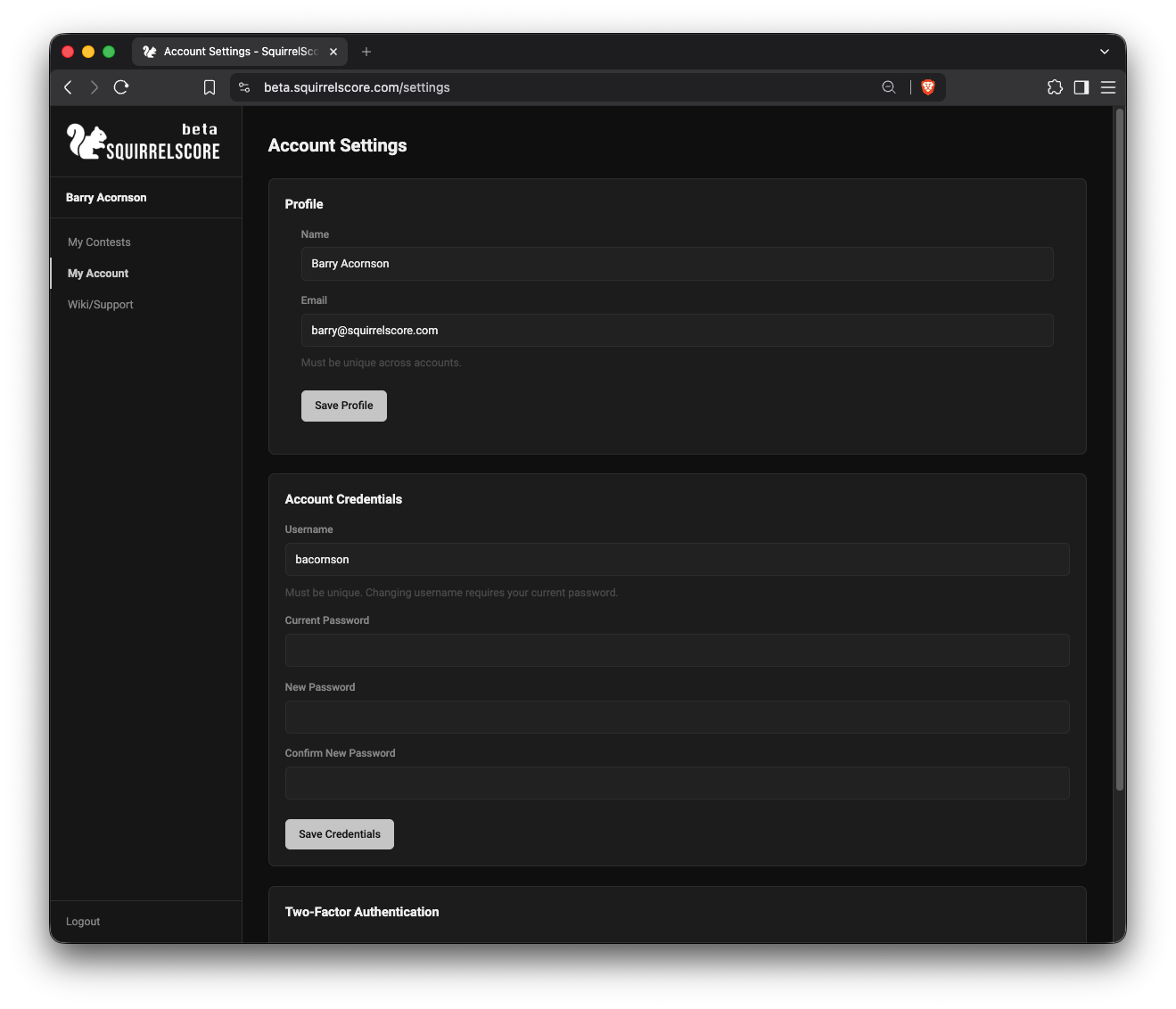
My Account - Account Credentials
¶ From a set-password link
- Open the newest link from your email on the device you'll use to log in (older links stop working when a newer one is sent).
- If the link looks broken or the page says expired right away, copy the full URL from the email (including everything inside
<...>) into your browser. - Choose a new password (and confirm it if asked).
- If you see an "I'm not a robot" check (Turnstile), complete it - same as login / forgot-password. Ad blockers can hide the widget; try another browser if it never appears.
- Click Set Password.
- Go to the login page.
- Sign in with your username and the new password - not your email unless they happen to match.
Links expire after 24 hours, and each new set-password / reset email replaces the previous outstanding link for that account.
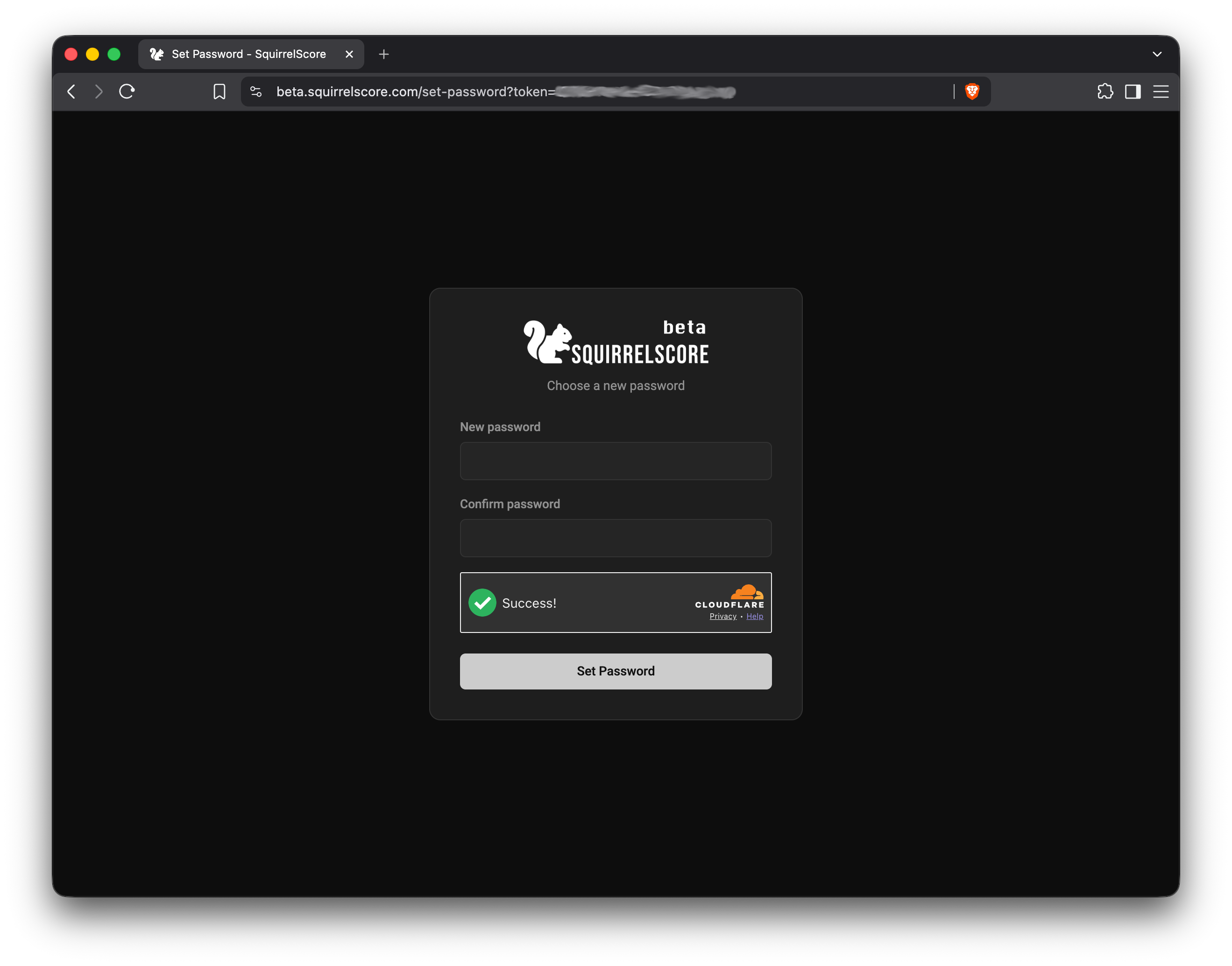
Reset Password page
¶ If you forgot the old password
Don't guess. Use Forgot your password?:
- On the login page, click Forgot password?
- Enter the email on your account.
- Open the reset link from your inbox (and spam folder if needed).
- Set a new password, then log in.
¶ Tips
- Prefer a password manager entry labeled with the site name so there aren't any surprises next time.
- After a producer-triggered reset, old passwords stop working - update anything that autofills the old one.
- If you share a device at the venue, log out when you leave the table.
- Set-password and reset links last 24 hours. Requesting another link retires the older one.
¶ Common Mistakes
- Changing the password and forgetting to save
- Completing a reset email, then typing the old password out of muscle memory
- Reusing the same password you use for email (please don't)
- Letting three teammates share one login, then changing the password mid-contest
¶ Frequently Asked Questions
Username or email on the login page?
Use your login / username. It can differ from your email. Check the set-password or invite message if you're unsure.
I didn't get the email.
Check spam, wait a minute, confirm the producer used your current email address, then ask them to resend.
The set-password page says the link is invalid or expired.
Use the newest email, open/copy the full link (not a truncated preview), and try again. Links expire after 24 hours, and a newer set-password or forgot-password email replaces the previous one.
Can I change my username too?
Often yes from the credentials area on My Account - save carefully, then log in with the new username next time. See Account settings.