¶ Purpose
This is how anyone with an account opens SquirrelScore — producers, judges, tallymasters, contestants, and volunteers. It is ordinary sign-in, not a staff-only door. After you enter your username and password you reach My Contests and can do your job.
¶ Before You Begin
You need:
-
Your login (username) and password
-
The website address your producer shared with you
-
Your phone nearby if your account uses multi-factor authentication (MFA)
If you received a set-password email, finish that link first — then come back here. A brand-new account often starts with "pick a password," not "log in with the password you don't have yet." The set-password page may also show Turnstile (the "I'm not a robot" check) when the site has it enabled.
Lost your password? Use Forgot your password? instead of guessing repeatedly.
¶ Step-by-Step Instructions
-
Open the SquirrelScore website in your browser. If the age check is on, confirm you meet the minimum age before the login page is shown. Cookie choices (if asked) are separate from that age check — see Age check and Cookies and privacy.
-
You may see an optional Want to add this to your home screen? popup. Install is optional and only appears on computer Chrome/Edge and many Android browsers — never on iPhone or iPad. On iPhone Chrome, Brave, and similar, the popup explains that the Home Screen app has to be added from Safari and offers Open in Safari. No thanks hides it until next time; Don't remind me keeps it away on that browser. On iPhone Safari there is no Install button — follow the Share steps if you want the icon. Details: Install the app icon.
-
Above Sign In, note that by accessing SquirrelScore you agree to the Terms of Service & Privacy Policy.
-
Type your username (this may be different from your email).
-
Type your password. Passwords are case-sensitive — watch Caps Lock.
-
If you see an "I'm not a robot" check (Turnstile), complete it. That's the site checking that you're a person, not an automated bot.
-
Click Sign In.
-
If MFA is enabled on your account, enter the 6-digit code from your authenticator app — or a recovery code — then continue.
-
After a successful login, you should land on My Contests — one shared list for every contest role.
Need producer-level access so you can create contests? On the login page, use Request Producer-Level Access:
-
Fill preferred/scene name, organization, email, phone, and a short note about how you'd use SquirrelScore.
-
Complete Turnstile if the site asks you to confirm you're a person.
-
Note the Terms disclaimer above Submit — same Terms link as Sign In.
-
Click Submit.
-
You'll land on a confirmation page. When email is enabled, you'll also get a "we received your request" message.
Your request is reviewed. If it is approved:
-
New account: you get a login plus a separate set-password email (no plaintext password in the mail).
-
Existing account (already a producer, or elevated to producer): approval email only — sign in with your existing credentials (or use Forgot password).
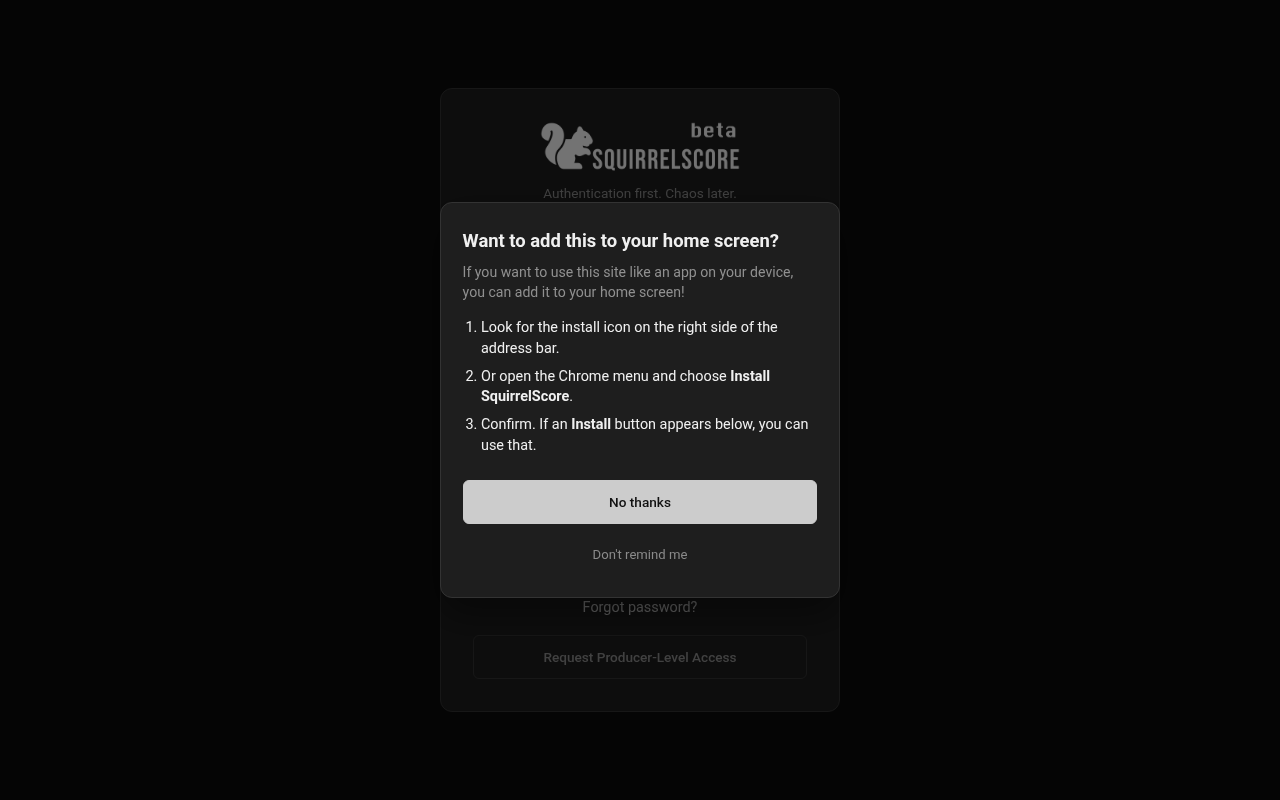
Desktop — Want to add this to your home screen?
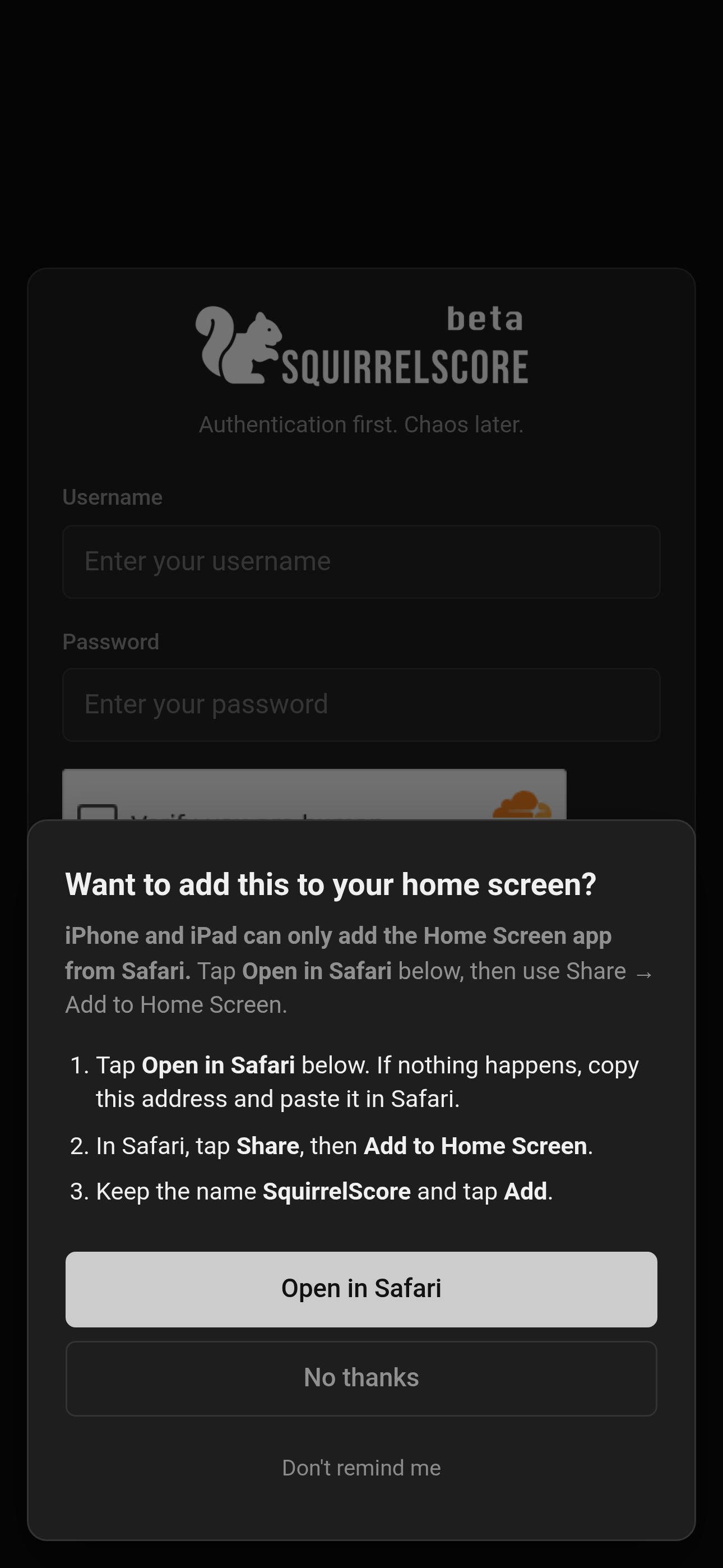
Mobile — Want to add this to your home screen?
¶ If you use MFA
After your password is accepted, SquirrelScore asks for a second check:
-
Open your authenticator app.
-
Find the entry for this site.
-
Type the current 6-digit code (codes refresh about every 30 seconds).
-
If you don't have the phone, use a recovery code you saved when you enrolled MFA.
-
Continue into the site.
Need to set MFA up for the first time? See Security & MFA.
¶ If you belong to more than one contest
Some people wear many hats (or many titles). After login you still land on My Contests. Each card shows a role badge; open the card that matches the job you're doing. Details: Selecting a contest and Dashboard overview.
If you only belong to one contest, you'll still see that one card on My Contests — click it to go in.
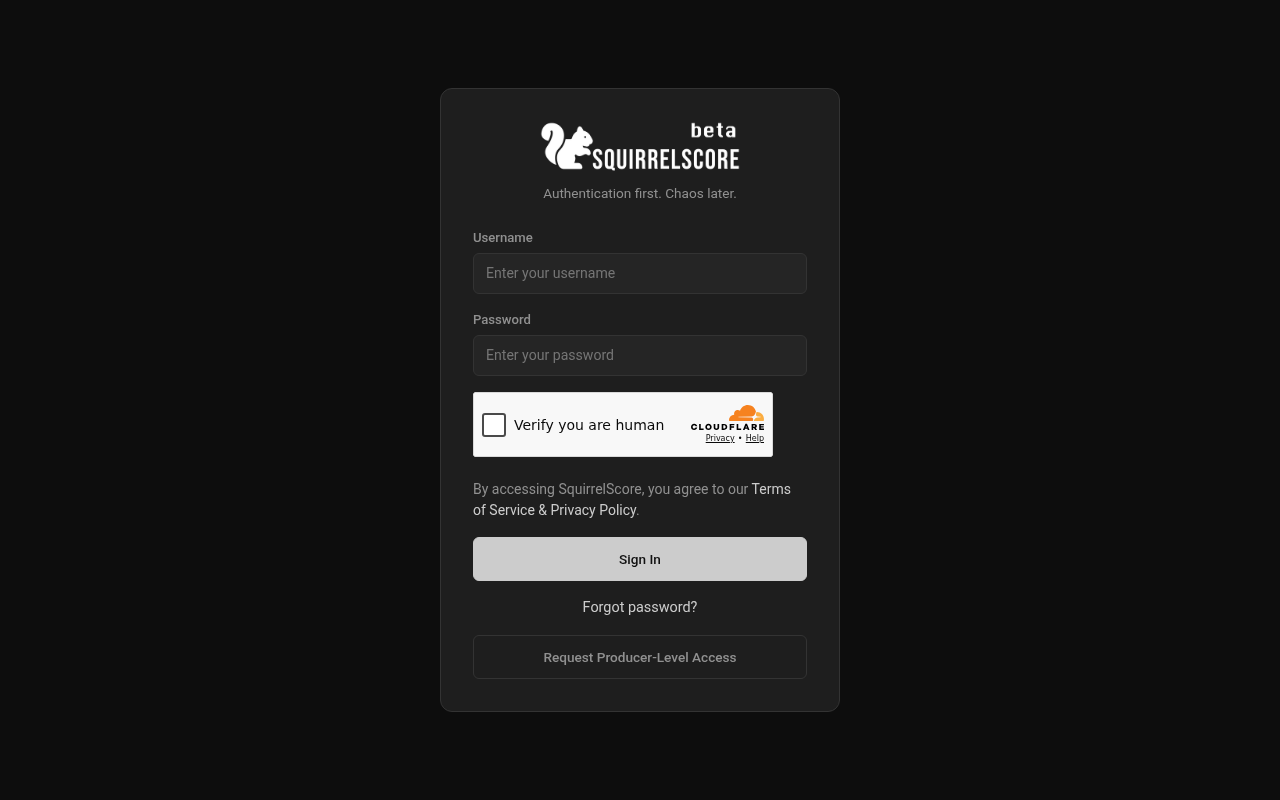
Desktop — Login page (Turnstile)
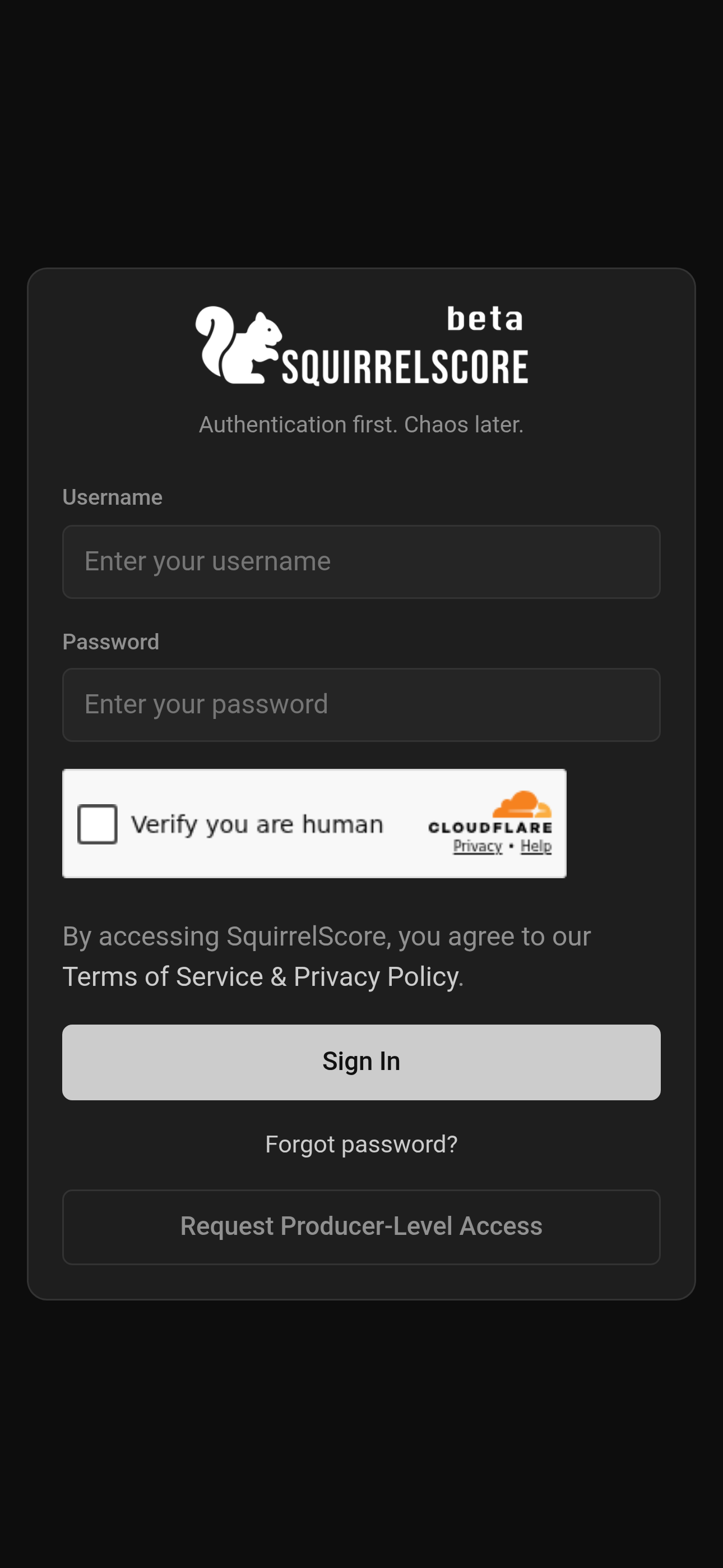
Mobile — Login page (Turnstile)
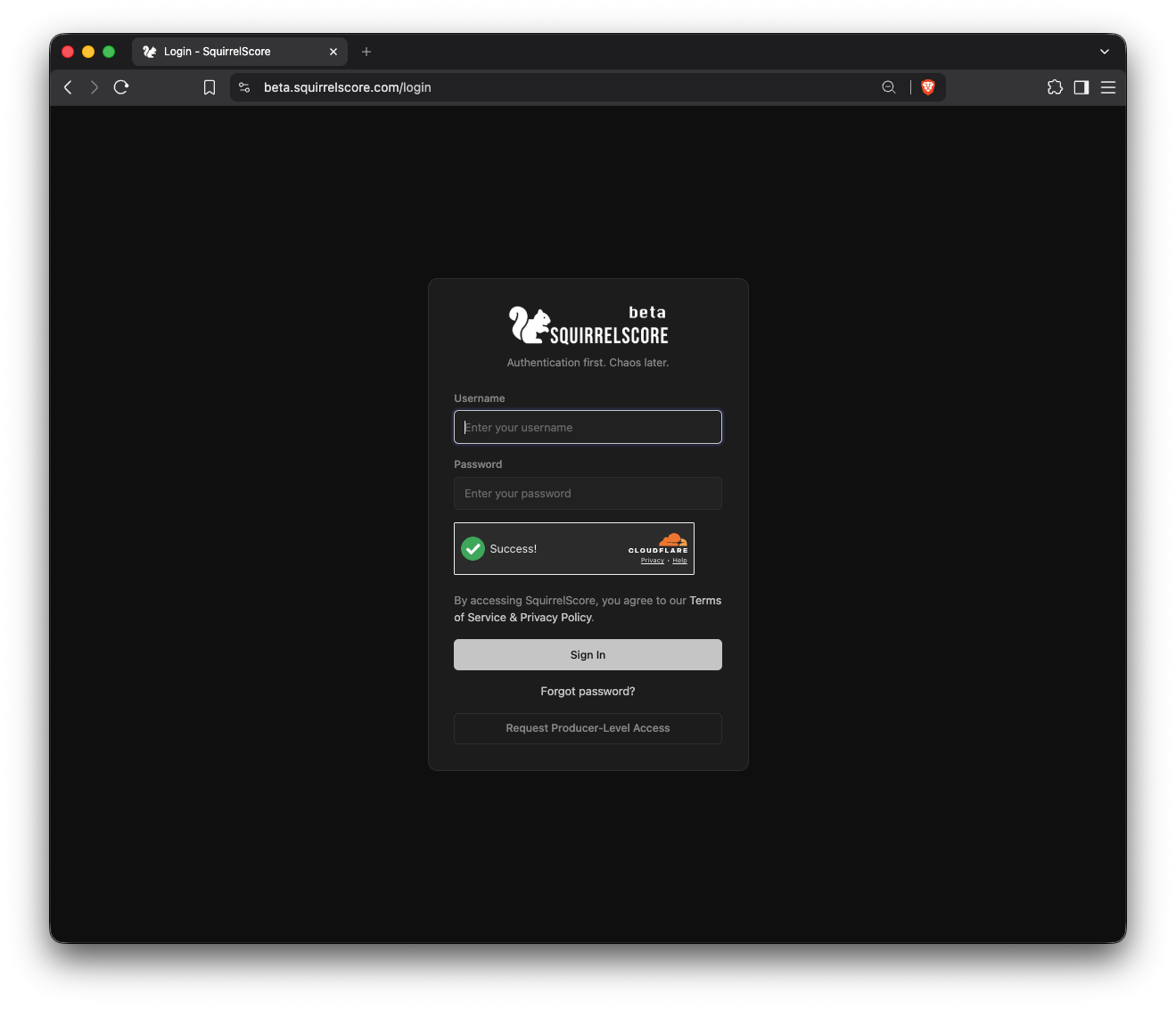
SquirrelScore Login Page
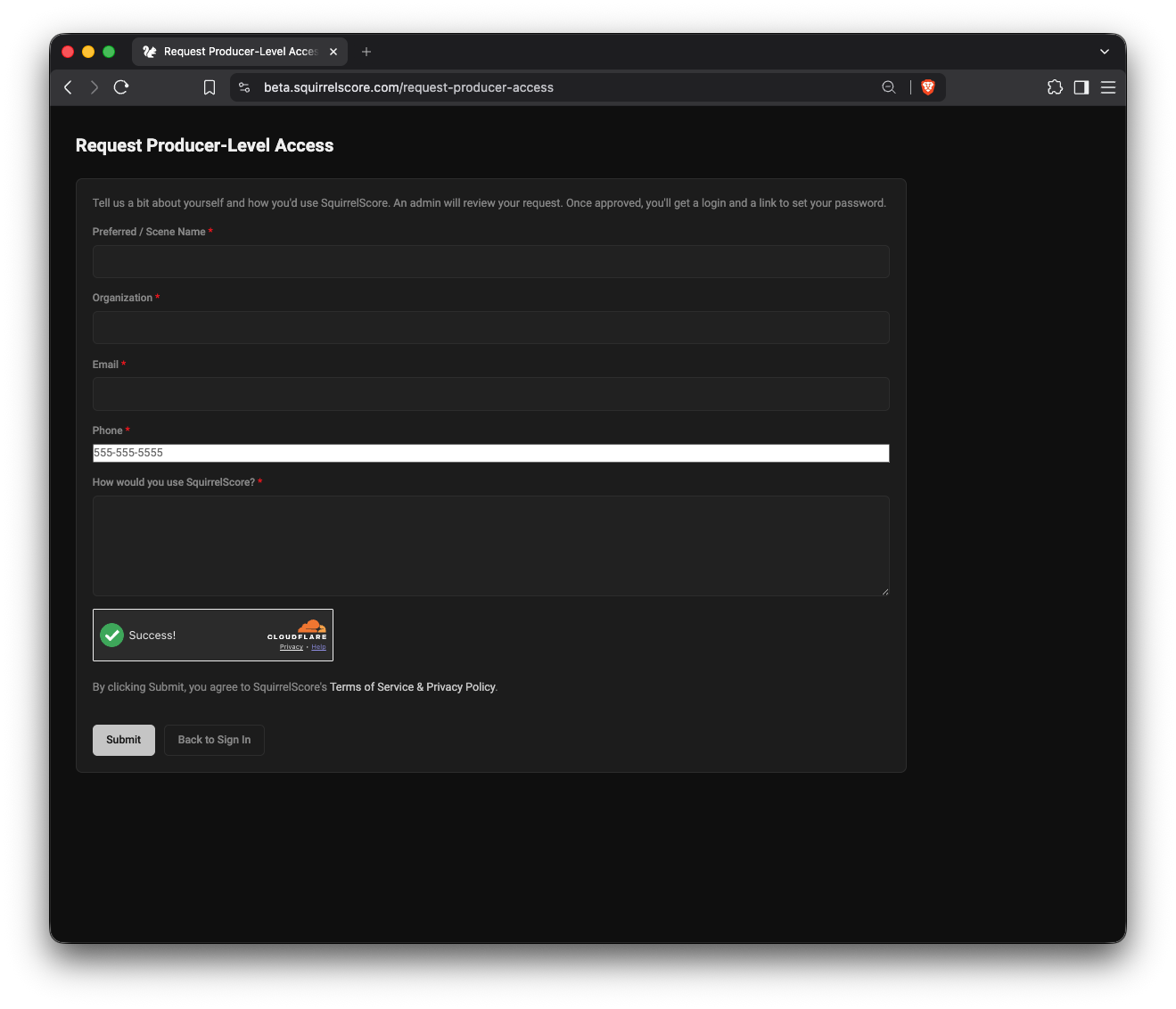
Request Producer-Level Access form
¶ Tips
-
Bookmark the login page on your phone before contest weekend.
-
Use the username your producer emailed you — not a guess based on your stage name.
-
After login, glance at the left menu. That's your home base for contest night.
-
If the page looks "stuck," wait a second after Turnstile or MFA — don't click Sign In several times in a row.
-
Set-password / reset links last 24 hours. Use the newest email, and copy the full link if a click says expired immediately.
¶ Common Mistakes
-
Typing your email instead of your login (they can be different)
-
Using an old password after you already finished a reset or set-password email
-
Closing the MFA screen before entering the code
-
Sharing one login among three people (don't — if you need access, talk to your producer)
-
Opening an older set-password email after a newer one was already sent
¶ Frequently Asked Questions
I never got a password.
Ask your producer to send a set-password link from your user page. Open the newest link, and if it says expired right away, copy the full URL from the email.
Login works but I see the wrong contest.
Use Selecting a contest, or ask to be enrolled in the right contest with the right role.
It says my login is disabled.
Login for that account may have been turned off. Ask your producer — refreshing the page won't turn it back on.
I keep failing the robot check.
Try another browser, disable aggressive ad blockers for this site, or switch from mobile data to Wi-Fi. Then complete Turnstile once and click Login.
Can I stay logged in forever?
Sessions eventually expire for safety. If you're kicked to the login page during scoring, sign in again — your saved scores should still be there.
Can I add this to my Home Screen?
The login page may show an optional Want to add this to your home screen? popup with steps for your browser. Install starts the add-to-home-screen path when the browser can do that (not on iPhone or iPad). On iPhone Safari, follow the Share steps (there is no Install button). On iPhone Chrome and similar, the popup says you need Safari and the button is Open in Safari. No thanks hides it until next time. Don't remind me stores a cookie on that browser so it stays away. Adding the icon is optional — see Install the app icon.