¶ Purpose
SquirrelScore is a website first. If you like an app icon on your Home Screen, you can install it as a PWA (a bookmark that looks like an app). Scoring still needs a live connection.
The Home Screen picture is the site favicon. Launch and offline screens use the site logo. The app name is SquirrelScore.
¶ Before You Begin
-
Use a current phone or tablet browser (Safari, Chrome, Brave, Firefox, or Edge)
-
Be on the real SquirrelScore site (the same address you log in to)
-
Prefer Wi-Fi the first time so the icon and theme load cleanly
-
If you already added an icon that shows a letter instead of the squirrel/favicon, delete that icon first, then add it again after this page's steps
¶ Step-by-Step Instructions
The login page shows a Want to add this to your home screen? popup with steps for the browser you are on.
-
Install appears only when the browser can actually add the icon (Chrome and Edge on a computer, many Android browsers). It is hidden on every iPhone and iPad browser, including Safari.
-
Open in Safari appears instead on iPhone or iPad Chrome, Brave, Firefox, Edge, and similar. Those browsers cannot add the Home Screen app — you have to finish in Safari.
-
On iPhone or iPad Safari there is no Install button — follow the Share steps in the popup.
-
No thanks hides the popup until the next visit.
-
Don't remind me stores a cookie on this browser (about a year) so the popup stays away.
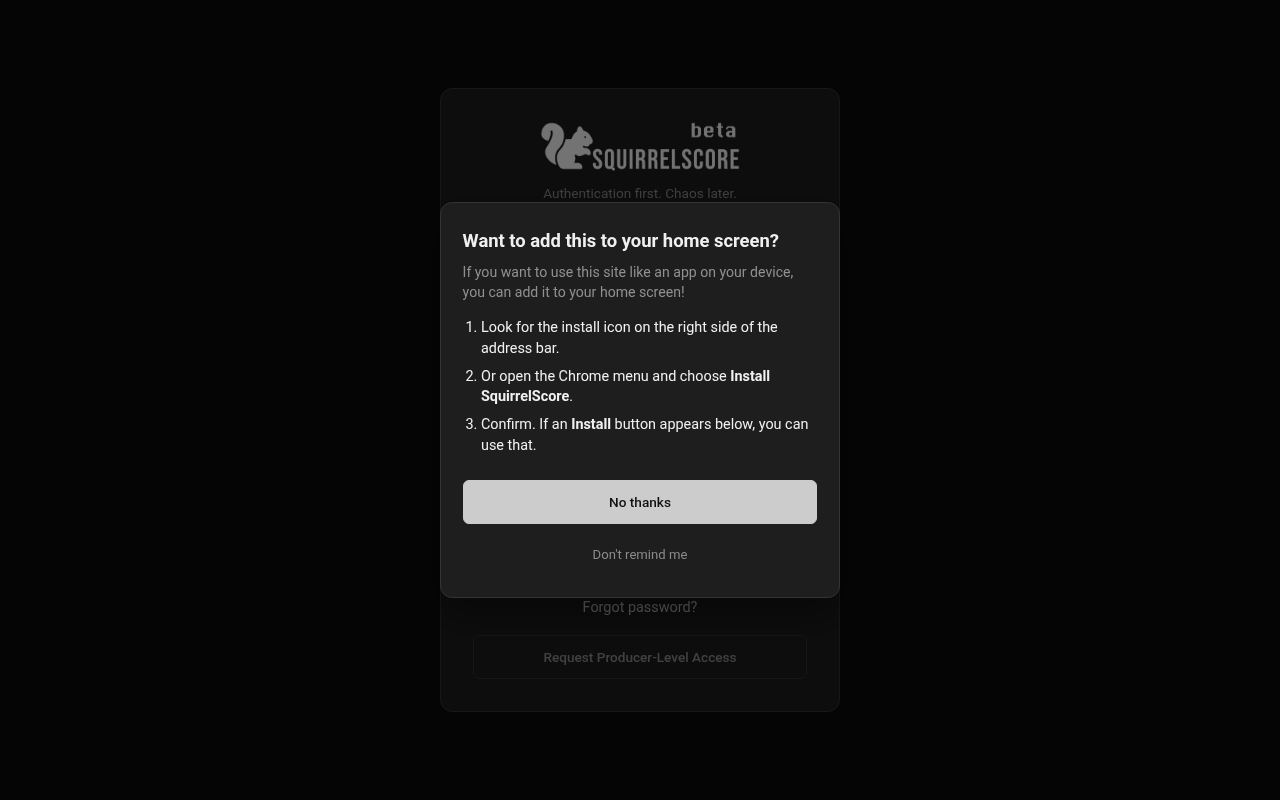
Desktop — Want to add this to your home screen?
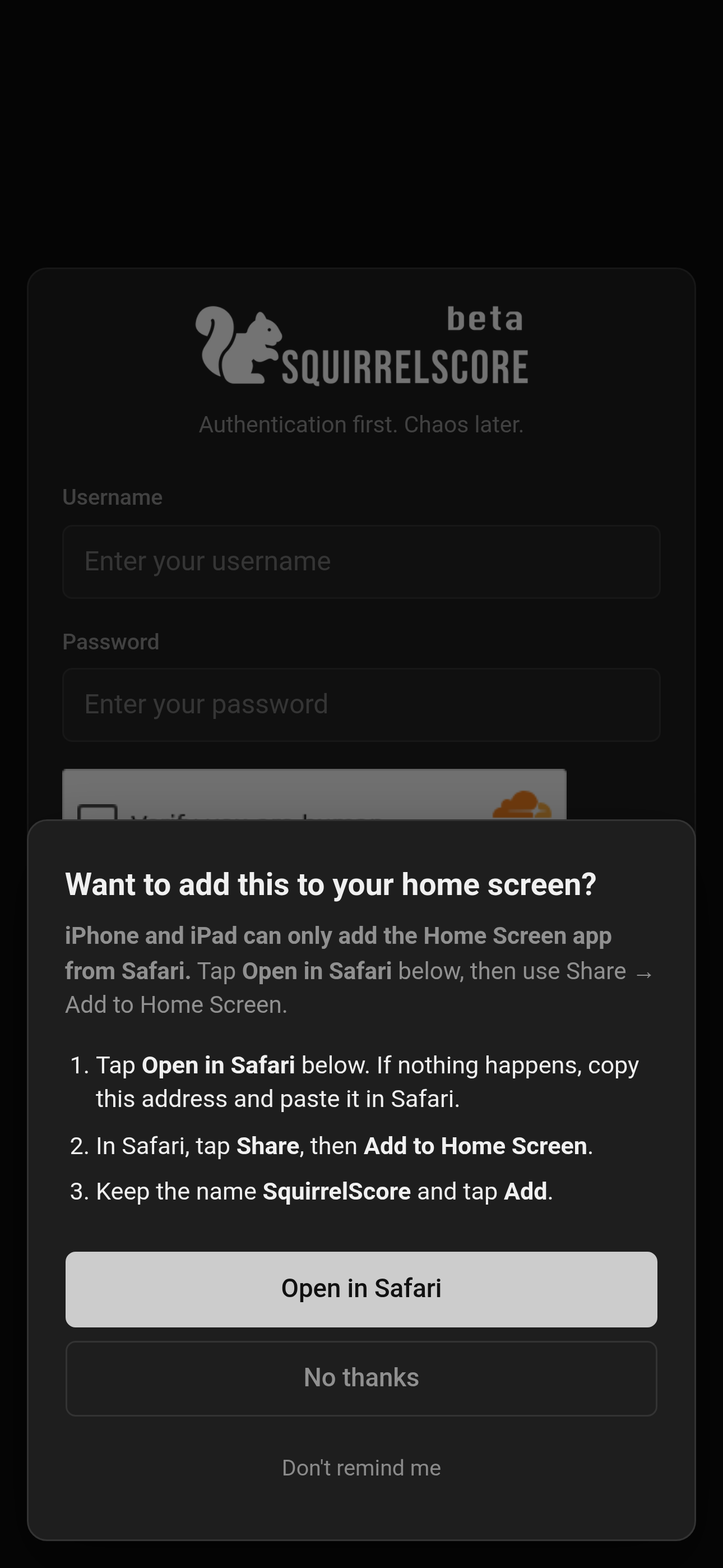
Mobile — Want to add this to your home screen?
You can still add the icon without the popup:
¶ iPhone or iPad (Safari)
-
Open SquirrelScore and log in once so you know it is the right site.
-
Tap the Share button (the square with an arrow).
-
Scroll and tap Add to Home Screen.
-
Keep the name SquirrelScore (or shorten it) and tap Add.
-
Confirm the preview uses the site favicon, not a letter in a square.
-
Next time, tap the new icon instead of hunting through bookmarks.
¶ iPhone or iPad (Chrome, Brave, Firefox, or Edge)
-
Open the login page. The popup still invites you to add the site to your home screen, then says you need Safari first.
-
Tap Open in Safari. If nothing happens, copy the address and paste it in Safari yourself.
-
In Safari, tap Share, then Add to Home Screen.
¶ Android (Chrome or similar)
-
Open SquirrelScore.
-
Tap Install on the login popup if it appears, or open the browser menu (three dots).
-
Tap Install app or Add to Home screen.
-
Confirm. An icon appears with your other apps, using the site favicon.
¶ Computer (Chrome or Edge)
-
Open the login page.
-
Tap Install on the popup if it appears, or use the install icon in the address bar.
-
Confirm. Keep the name SquirrelScore.
¶ What install does — and does not do
-
Does: bigger icon (the site favicon), launch/offline screens with the site logo, full-screen look, faster return to login, and (on HTTPS) Home Screen / browser push after you enable it for a contest.
-
Does not: let you score while the phone has no signal. If you go offline, you will see a short “You're offline” page. Reconnect, then continue.
¶ Tips
-
You can keep using the normal browser tab. Install is optional.
-
If the icon opens the wrong site, delete it and add it again from the login page.
-
If the icon is a letter (usually S) instead of the favicon, the phone kept an old install. Delete the icon, open the live site, and add it again.
-
After the site favicon or logo changes, phones often keep the old picture until you delete and re-add the icon.
-
Don't remind me only applies to that browser. Clearing cookies brings the popup back.
-
Still use Logout on a shared tablet.
¶ Common Mistakes
-
Installing from a forwarded / preview URL instead of the real contest site.
-
Assuming last night's scores are stored on the phone. They live on the server.
-
Leaving an old letter-icon shortcut on the Home Screen after the real app icon is available.
-
Using Chrome, Brave, Firefox, or Edge on iPhone and expecting Install — those browsers cannot add the Home Screen app. Use Open in Safari on the login popup, then install from Safari.
¶ Frequently Asked Questions
Is this in the App Store or Play Store?
No. It is the same website, installed from the browser.
Do I have to install it?
No. A regular browser tab is the main way to use SquirrelScore. Use Don't remind me on the login popup if you want it to stop asking.
Why did I get a letter instead of the favicon?
Phones will not use a tiny .ico tab icon as the app picture. SquirrelScore now publishes proper PNG app icons from the favicon. Delete the old shortcut and add it again from the live site.
What's the difference between No thanks and Don't remind me?
No thanks hides the popup until you come back. Don't remind me stores a cookie on that browser so it stops asking.
I tapped Don't remind me and changed my mind.
Clear cookies for the SquirrelScore site, or use the steps above — the popup is only a reminder.