¶ Purpose
Submit your contestant application with answers and user photo so the producer can review your application for the contest. This usually starts from a public link - no login required yet.
¶ Before You Begin
- Open the apply link your producer shared
- Have the passphrase if required
- Draft longer answers somewhere you won't lose them mid-form
- Have a clear photo ready (square-ish headshots crop cleanest) - this is only so they can match the face to the name.
- Use an email inbox you actually check
¶ Step-by-Step Instructions
- Open the apply link.
- If asked, enter the passphrase to unlock the form.
- Complete Turnstile / robot check when enabled.
- Enter your name and answer every required question.
- Upload a user photo if requested (this is only for your user avatar, not the contest marketing materials)
- Use the cropper to zoom and center - confirm the preview.
- Review typos (especially email and legal/scene name fields).
- Submit and wait for confirmation.
- Watch for approval and login / set-password credentials by email.
- After you can log in, find the contest under My Contests.
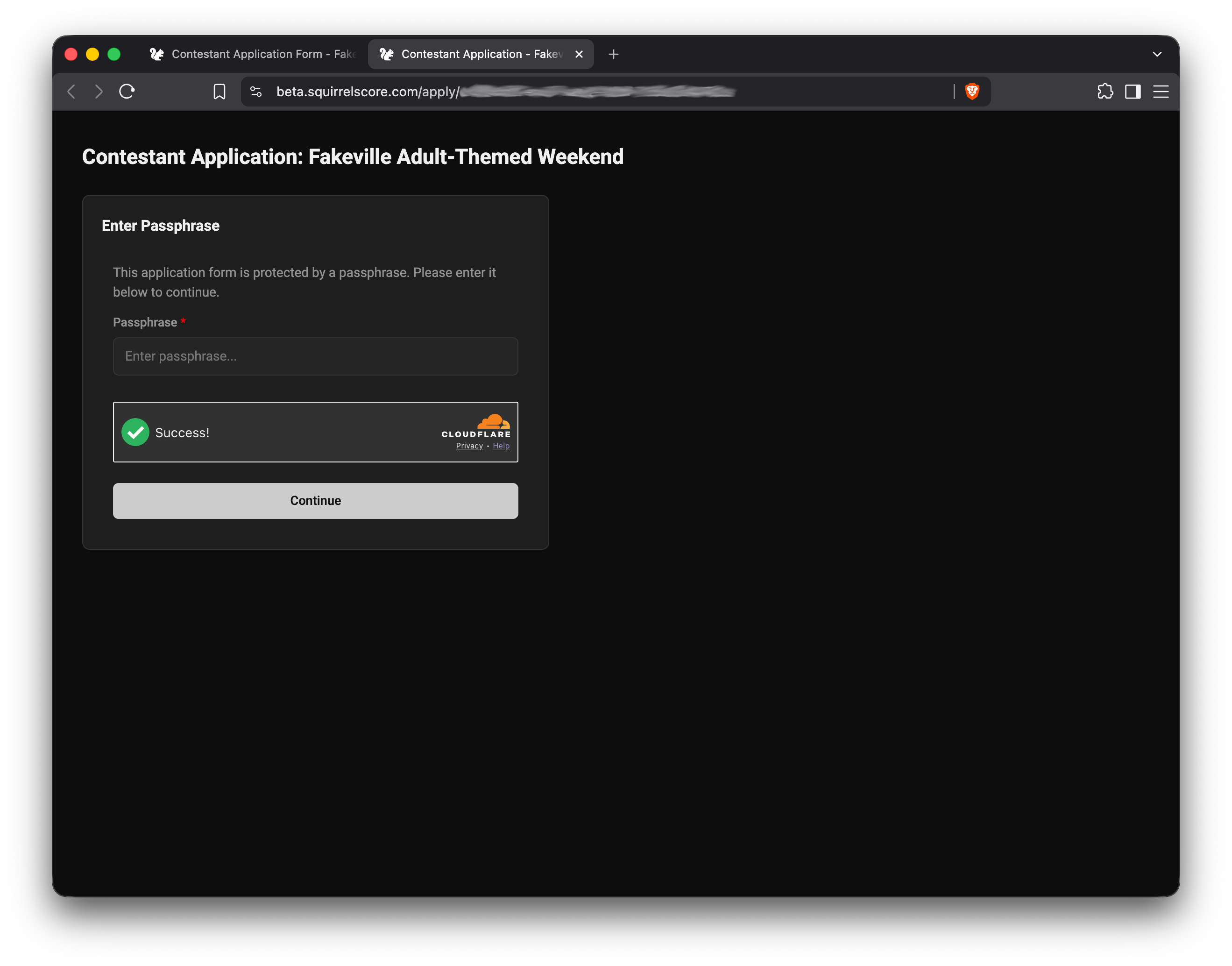
Passphrase Unlock for Public Form
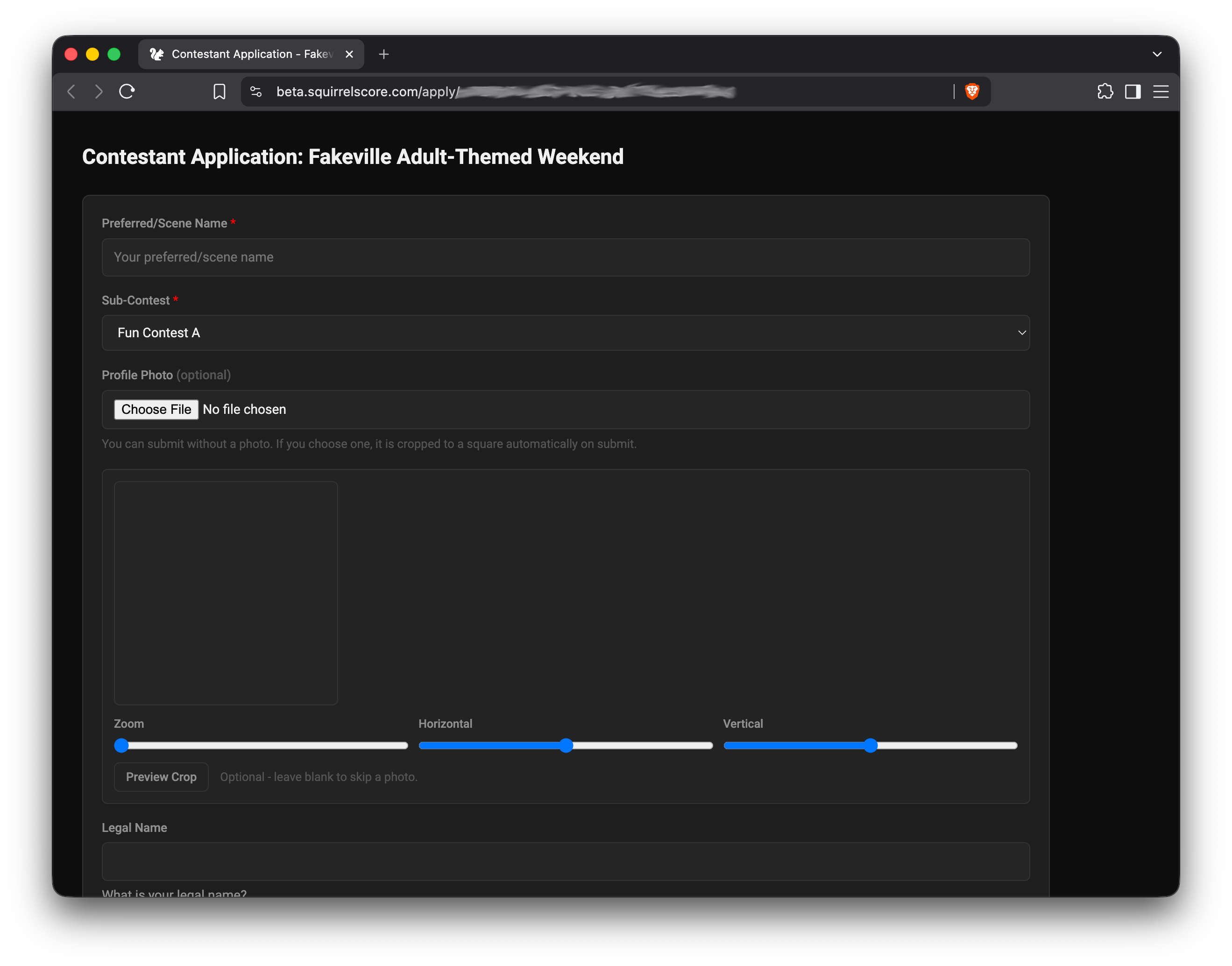
Sample Contestant Application
¶ After you submit
| Stage | Your move |
|---|---|
| Pending | Wait for producer review |
| Approved | Complete set-password / login email |
| Enrolled | Use My Application, Details, prep, and after the contest My Results |
¶ Tips
- Use a clear, well-lit headshot. Focus matters more than a fancy pose.
- Don't close the tab mid-upload.
- Same apply flow is documented for the public audience in Contestant application form.
¶ Common Mistakes
- Applying on the volunteer link by mistake
- Entering an email typo and never receiving credentials
- Submitting before the photo finishes cropping/uploading
¶ Frequently Asked Questions
Form says unavailable.
You'll typically see Form is not currently enabled. Producer hasn't enabled it, turned it off, or the contest isn't active. Ask them.
Can I save a draft?
Treat the form as one careful sit-down unless your producer tells you otherwise. Keep answer drafts offline.
I need to change an answer after submit.
Contact the producer - your in-app My Application is read-only after you're in.