¶ Purpose
Add a profile picture or application photo that looks sharp, loads quickly, and still looks like you after cropping.
¶ Before You Begin
-
Have an image file ready (PNG, JPEG, GIF, or WebP are commonly accepted)
-
Prefer a clear, well-lit shot with your face (or title-worthy look) centered
-
Use Wi-Fi when you can - venue mobile data can stall during the upload
¶ Step-by-Step Instructions
-
Open the form or page with a photo field (contestant apply, volunteer apply, or a producer editing a person record).
-
Click Choose file (or the upload control).
-
Select your image from your device.
-
Wait for the preview / cropper to appear.
-
Drag the sliders for zoom, horizontal, and vertical so the important part sits in the frame.
-
Confirm the preview crop.
-
Finish any other required fields on the form.
-
Click Save or Submit.
-
Stay on the page until the upload finishes.
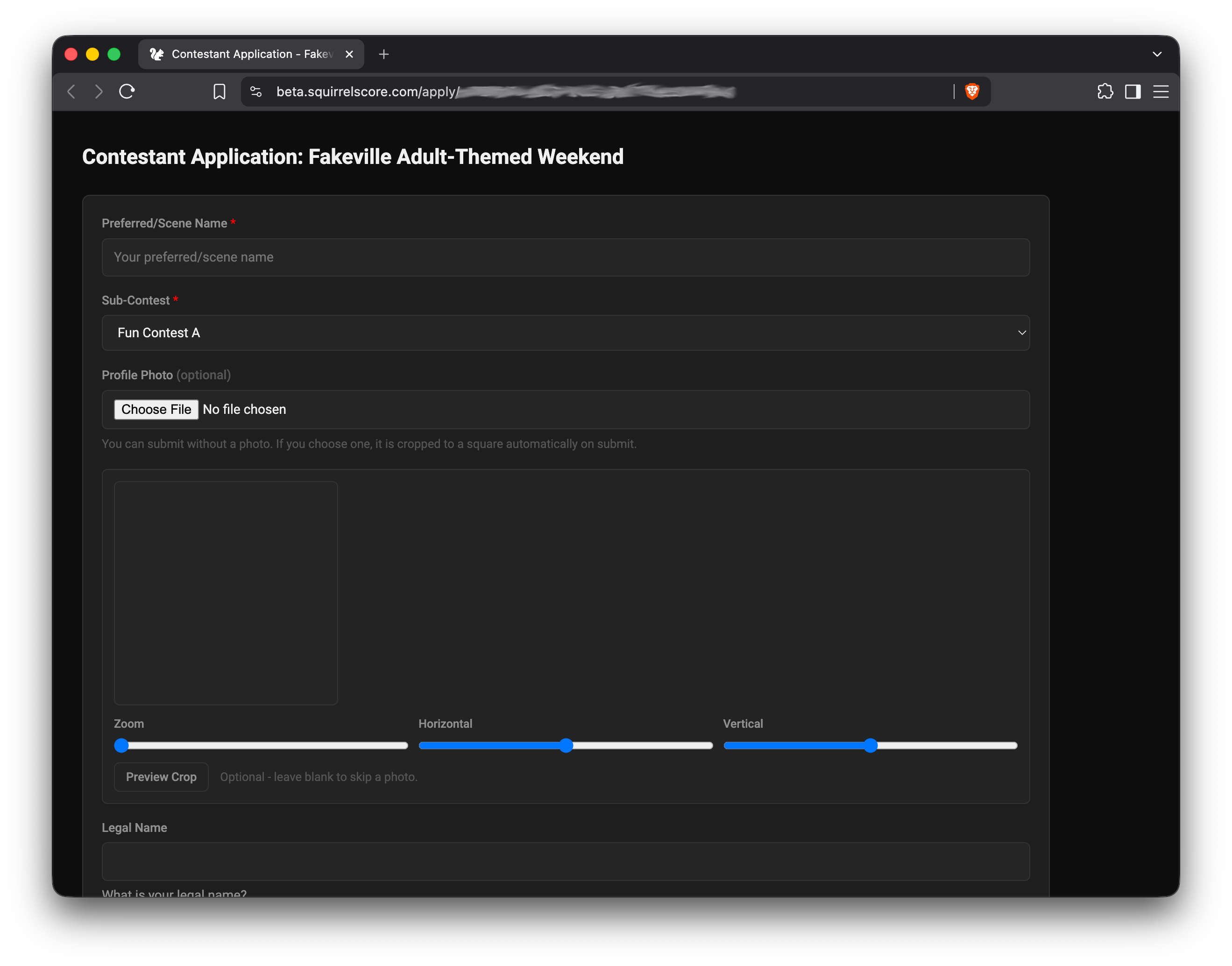
Sample Contestant Application with Avatar Pic Uploader
¶ Where uploads appear
| Situation | What to expect |
|---|---|
| Contestant public apply | Cropper, then photo attached to your application |
| Volunteer public apply | Same idea - photo with crop when the form asks |
| Producer editing people | Photo on contestant / judge / volunteer records for the contest. A judge's photo also appears on the producer Profile PDF. |
| Contest media (producer) | Separate from profile pictures. Photos, bios, and other files live under Contest media when that is on (5 MB each, 75 MB per contest). Contestants, judges, and approved vendors get a magic-link upload (5 files per visit). Those files are scanned before anyone can download them. |
¶ Tips
-
Square photos crop cleanest. Start close to square when you can.
-
Keep the subject in focus.
-
Don't use a heavily Photoshopped headshot - it needs to look like you.
-
If the cropper feels awkward on a phone, try landscape orientation.
-
Keep a backup copy of the final image on your phone for re-uploads.
¶ Common Mistakes
-
Leaving the page mid-upload
-
Using a tiny thumbnail that becomes a blurry image
-
Uploading a group photo and cropping to the wrong person
-
Submitting the application before the image finished processing
¶ Frequently Asked Questions
What size should I use?
A normal phone photo is fine. For profile photos/avatars, it'll be cropped to 150px × 150px no matter what.
Can I change the photo later?
On public apply forms, usually only while you're still filling/submitting. After approval, check Your profile or ask your producer to update the record.
The cropper never appears.
Your file type may be unsupported, the upload failed, or the page needs a refresh. Try JPEG/PNG and a smaller file.
The site said the photo could not be accepted or processed.
The file did not pass the security check, or the scanner was not ready. Try a different image, or wait a minute and submit again. The rest of an application can still go through without a photo.
Do judges see my application photo?
Approved contestant applications are often visible to judges read-only. Pick a photo you're okay having in that context, and one that can clearly and easily identify you.