¶ Purpose
Apply to a contest without an account yet. This is the public contestant form producers share when the contest is active and applications are enabled.
¶ Before You Begin
-
Contest is active and the contestant form is enabled
-
You have the apply link and optional passphrase
-
Answers drafted, photo ready, email you monitor
¶ Step-by-Step Instructions
-
Open the contestant apply link.
-
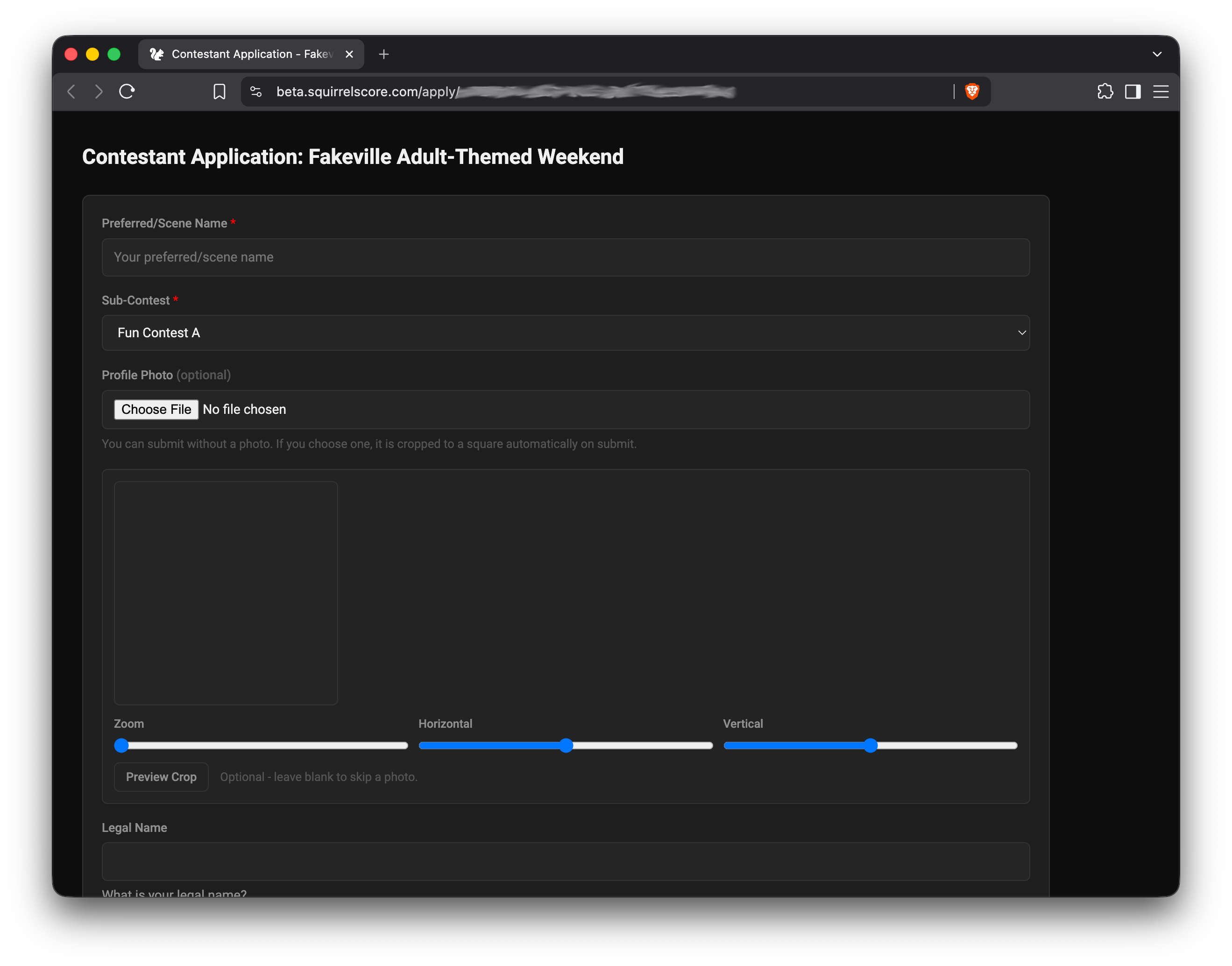
Confirm the page title reads Contestant Application: {contest name} (passphrase unlock uses the same heading).
-
If the page is locked, enter the passphrase and continue.
-
Complete Turnstile when the site shows it.
-
Fill required name and question fields.
-
Upload your photo if the form asks.
-
Use the cropper to zoom/center; confirm the preview.
-
Double-check contact fields.
-
Submit.
-
Wait for confirmation on screen.
-
Watch email for approval and later login / set-password instructions.
SquirrelScore Login Page
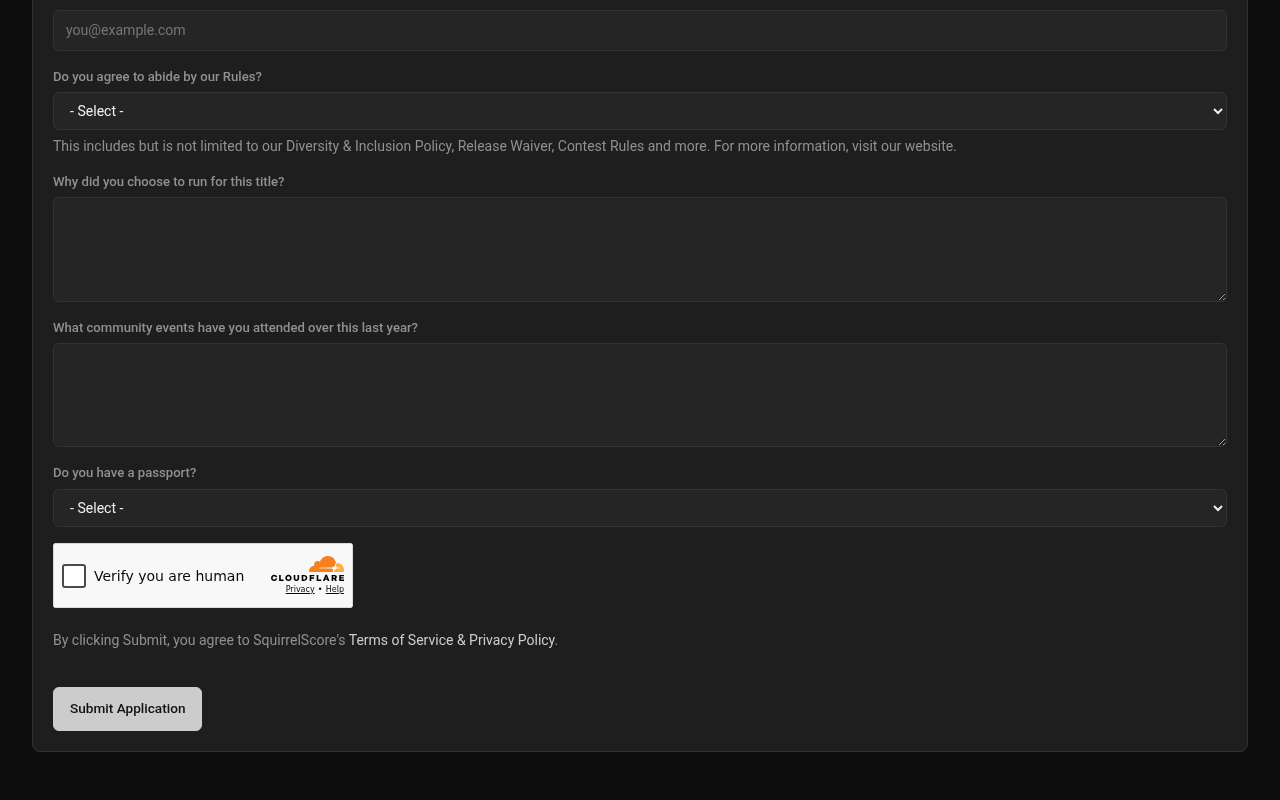
Desktop — Public contestant application (Turnstile)
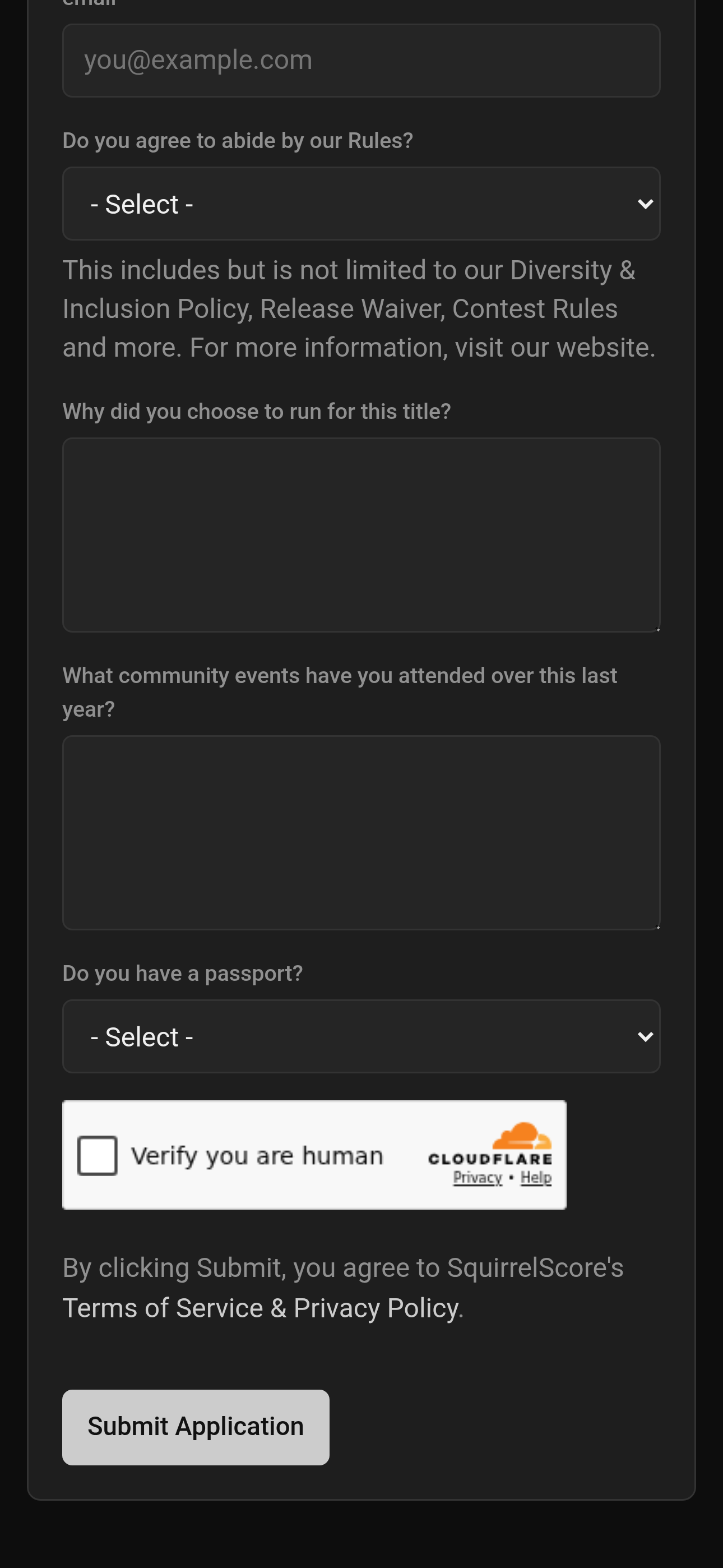
Mobile — Public contestant application (Turnstile)
¶ Photo crop
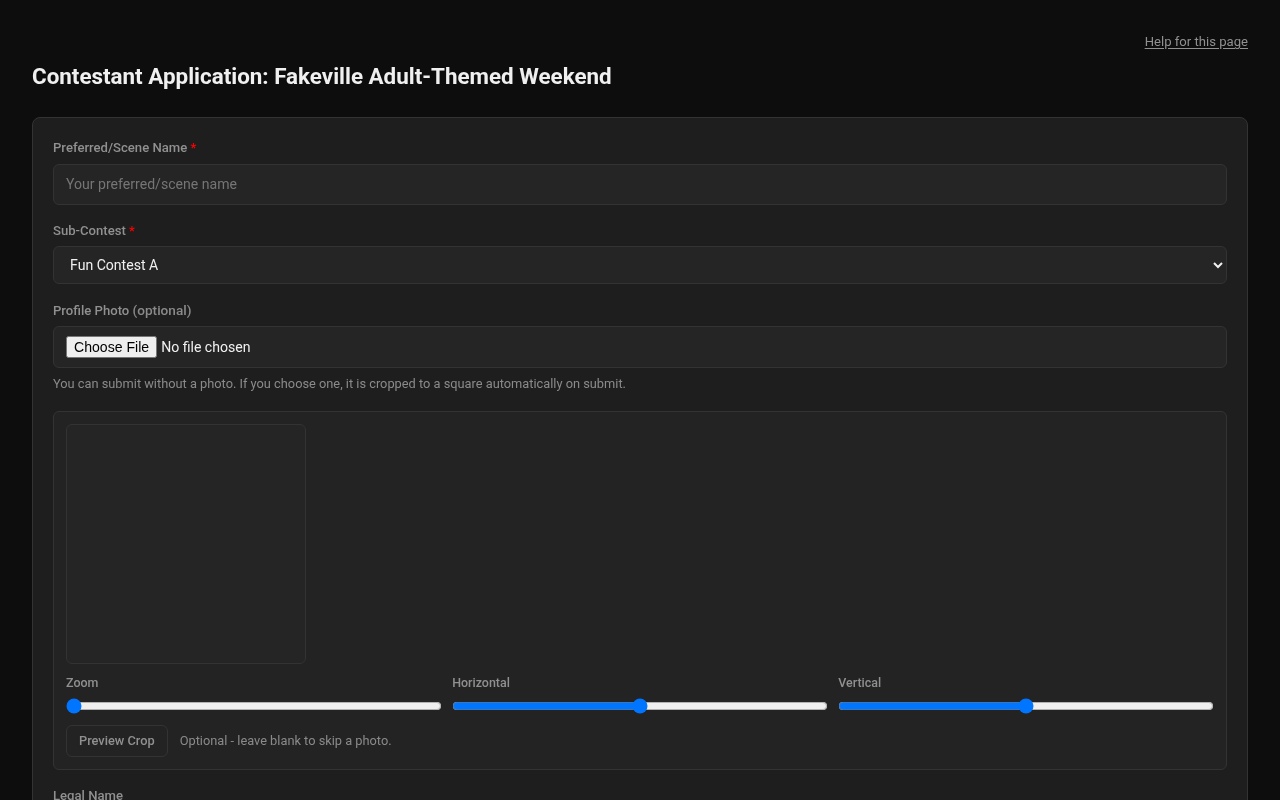
Desktop — Public contestant application photo crop
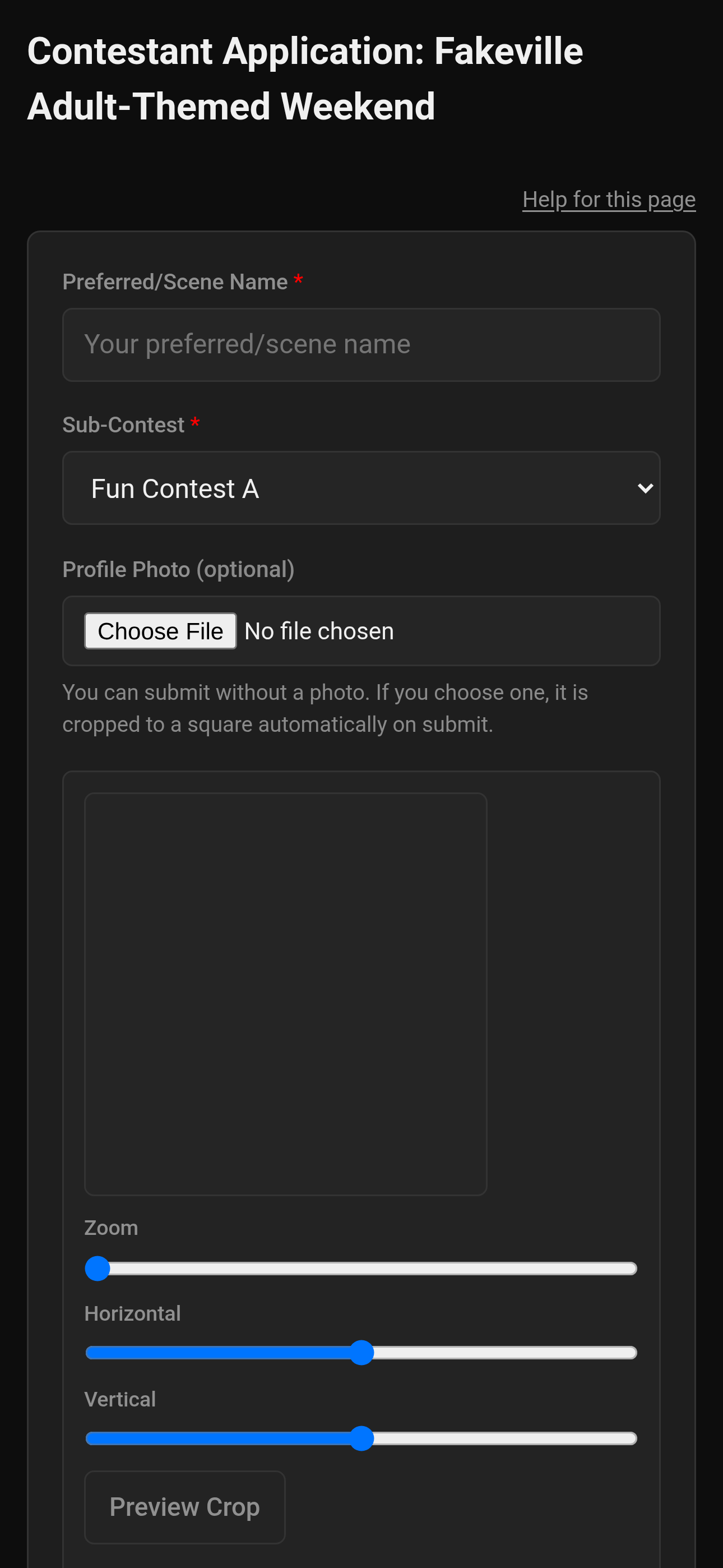
Mobile — Public contestant application photo crop
Contestant (and volunteer) public forms use an on-page photo uploader and cropper so producers, judges, and others know who you are. Stay on the page until upload finishes.
More help: Uploading photos.
¶ Tips
-
A clear headshot works better than an artistic full-stage wide shot.
-
Apply once unless the producer asks for a resubmit.
-
After approval, use My application to reread what you sent.
¶ Common Mistakes
-
Applying while the form is "unavailable" and assuming the site is down
-
Closing the tab mid-crop
-
Typos in email that block credentials later
¶ Frequently Asked Questions
Unavailable - what now?
You'll typically see Form is not currently enabled. Producer hasn't enabled the form, disabled it, or the contest isn't active. Ask them.
Can I edit after submit?
Contact the producer. Logged-in My Application is read-only for contestants.
Is passphrase the same as my future password?
No. Passphrase unlocks the public form; your account password comes later.