¶ Purpose
Email a short message to people involved in this contest: registration emails, contestants, judges, tallymasters, and/or volunteers.
This is a one-off announcement you write yourself ("doors at 7," "results are up," "thank you"). It is not one of the 24 reusable contest email templates (approvals, invites, credentials, weeks, Contact Us, vendor).
Recipients are looked up when the message actually sends, not when you draft it. If you add a judge at 4:55 and the send runs at 5:00, they are included.
¶ Before You Begin
-
Be a producer (owner or co-producer).
-
Confirm the right people have emails on file (or sit on the registration email list).
-
Remember the site-wide mail queue: about 200 messages per rolling 24 hours, at least 1 second apart. Approvals and password links go first; a big blast waits its turn.
¶ Who gets mail (audiences)
Check one or more groups. If someone is both a judge and a volunteer, they still get one email.
| Audience | Where the addresses come from |
|---|---|
| Registration emails | The contest registration email list |
| Contestants | Enrolled contestant accounts with an email |
| Judges | Enrolled judge accounts with an email |
| Tallymasters | Enrolled tallymaster accounts with an email |
| Volunteers | Enrolled volunteer accounts with an email |
¶ Send an update
-
Open Contest Updates in the sidebar (also linked from Manage).
-
Write a subject and message.
-
Check one or more audiences.
-
Choose channels:
-
Email uses the site mail queue
-
Push (accounts with this contest) reaches people who turned push on for this contest and role. The registration-email guest list is email only.
-
-
Choose timing:
-
Check Send now to queue immediately (ignores the time box)
-
Or pick Send at in the contest timezone (shown on the page with the current time)
-
Or save as a Draft and click Send now on that row when you are ready
-
-
Submit. Scheduled and "send now" both look up recipients at send time.
Times use the contest SquirrelGenda timezone (or the site timezone if that is unset). The page shows now in that zone.
Think of it as writing a note, then handing it to the mail queue:
People do not log in to read the email. Push goes to signed-in people who enabled it for this contest and role. If someone is both a judge and a volunteer, they still get one email. Push follows the role card they have open.
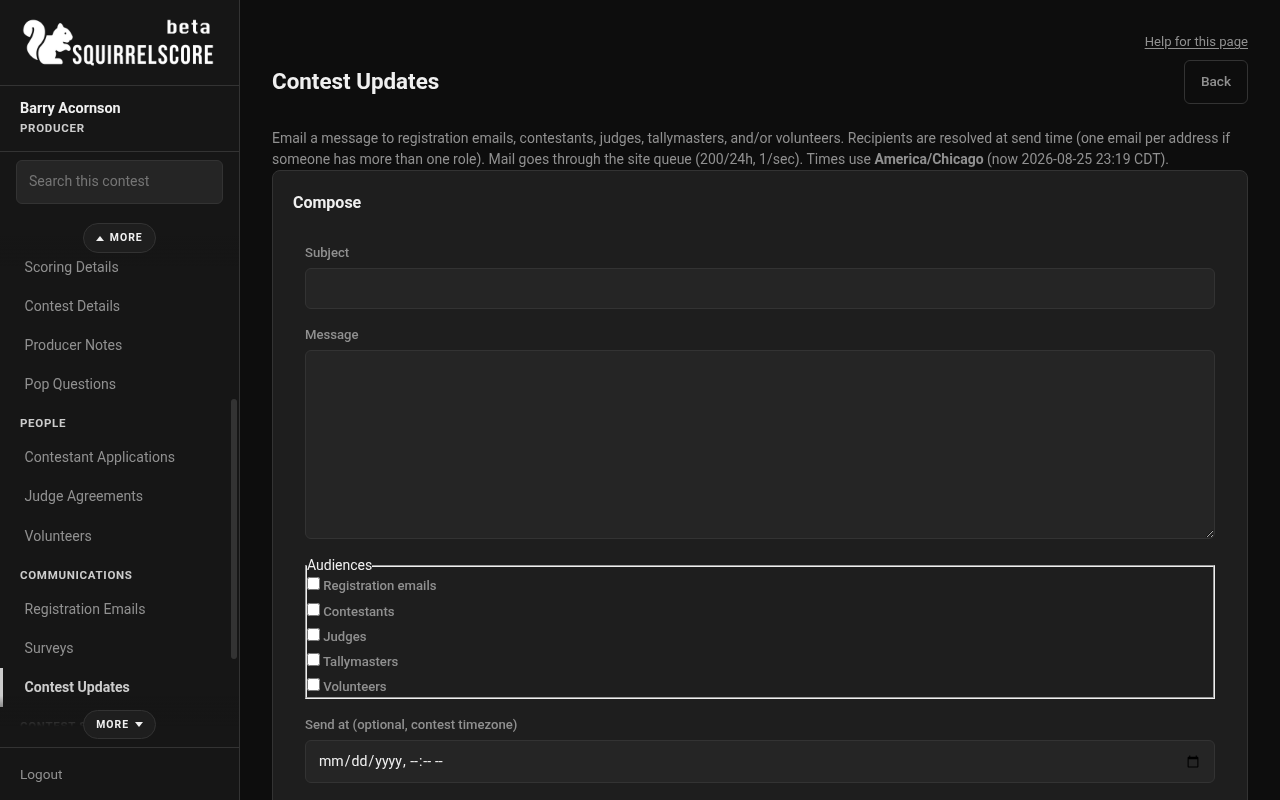
Desktop — Producer, Contest Updates compose
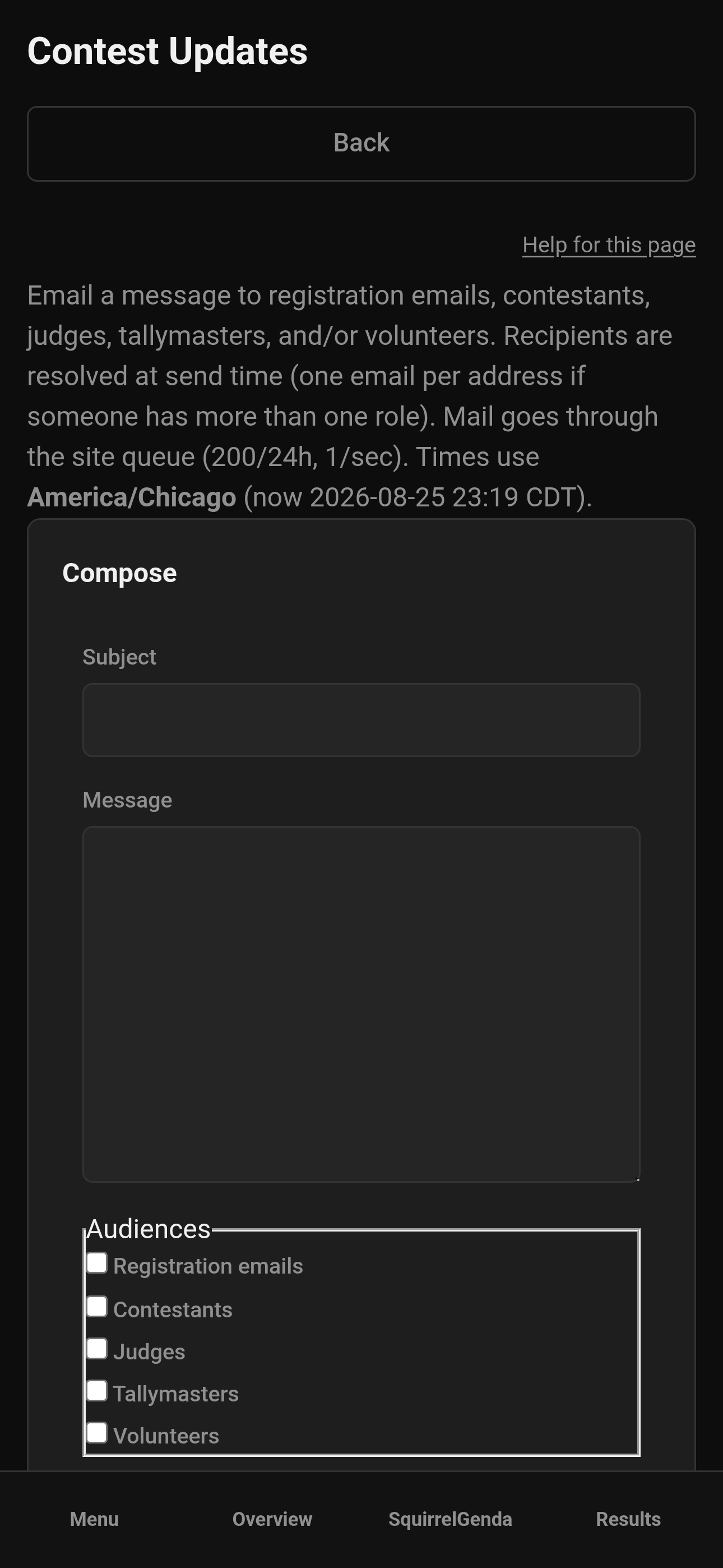
Mobile — Producer, Contest Updates compose
¶ What if nobody matches?
If the lists are empty at send time, you will see an error and the update is not marked sent. Add emails or enroll people, then send again from the draft/scheduled row.
¶ The queue (plain language)
SquirrelScore does not fire 400 messages in one second. It sends one per second and stops around 200 in a rolling day so mailbox providers stay friendly. Your update waits behind password links and approvals. The whole-site mail queue can be paused in an emergency.
Do not wait at the page for every "sent" - look for Queued / Sent on the list, and know a large audience takes clock time.
¶ Tips
-
Write like a human. People are tired and hungry.
-
Prefer schedule over sending at 1 a.m. unless you mean it.
-
Double-check audiences. "Registration emails" is the guest list, not contestants unless you also check contestants.
-
Contest Updates are not cloned. Backup does not currently pack these messages - copy anything precious yourself if you need an archive.
¶ Common Mistakes
-
Saving a draft and wondering why nobody got mail - use Send now on the row.
-
Checking Send now and a time - send now wins.
-
Expecting last year's clone to include these blasts.
-
Mixing this up with Emails templates (those fire from approvals and invites automatically).
¶ Frequently Asked Questions
Can I unsend?
No. Once queued, treat it as gone. Pause is a whole-site emergency control, not one contest message.
Can tallymasters send updates?
No. Producers only. Tallymasters can help maintain the registration email list.
Does this use my personal Gmail?
No. It uses the site's configured mailbox, same as other SquirrelScore mail.
Will a scheduled send include people I add after I click save?
Yes - lookup happens at send time.