¶ Purpose
Customize the messages SquirrelScore sends for applications, credentials, judge invites, volunteer updates, and more.
There are 24 templates per contest. Leave subject/body blank to keep the built-in default. Placeholders look like {{contest_name}}.
Who can use this: contest owners and co-producers (while logged in as a producer). Some site-wide emails (producer access, co-producer added, ownership transferred, staff notify when a public contest form is submitted) are maintained separately from this contest Emails page.
When someone submits a public contest form (contestant apply, volunteer apply, Pop Questions, judge agreement, Contact Us, vendor inquiry), the contest owner and co-producers also get a staff notification email. That staff template is not on this contest Emails page.
Mail goes through the site queue (about 200 messages per rolling 24 hours, at least 1 second apart). Survey invites and contest updates use the same mailbox line; they are not these 24 templates.
Emails is not in the producer sidebar - use Manage, Results, or the people-form headers below.
¶ Before You Begin
-
Have a contest.
-
Decide your tone (warm human vs formal title committee).
-
Know which flows you're about to trigger (approvals, invites, credentials).
-
Prefer set-password links over putting passwords in email when a template offers
{{set_password_url}}. Put each URL on its own line (no angle brackets). SquirrelScore sends the email as HTML: a clickable link plus the same URL in plain text, with a note to copy/paste if the link doesn't work. Newest set-password link wins and lasts 24 hours. -
Remember to Save after editing each template!
¶ Step-by-Step Instructions
-
Open Emails from the contest Manage page, the producer Results toolbar, or an application / judge / volunteer form or review header that shows Emails.
-
Confirm you're on Contest Emails.
-
Scan the list of templates - each card shows a label, Custom or Default badge, description, and allowed placeholders.
-
Pick a template to edit.
-
Update Subject (max length enforced on the form).
-
Update Body.
-
Use only placeholders listed for that template (for example
{{contest_name}},{{applicant_name}}). -
Click Save on that template's form before editing the next one.
-
Optionally open View default to compare against the built-in text.
-
Repeat for other templates you care about before sending waves of invites.
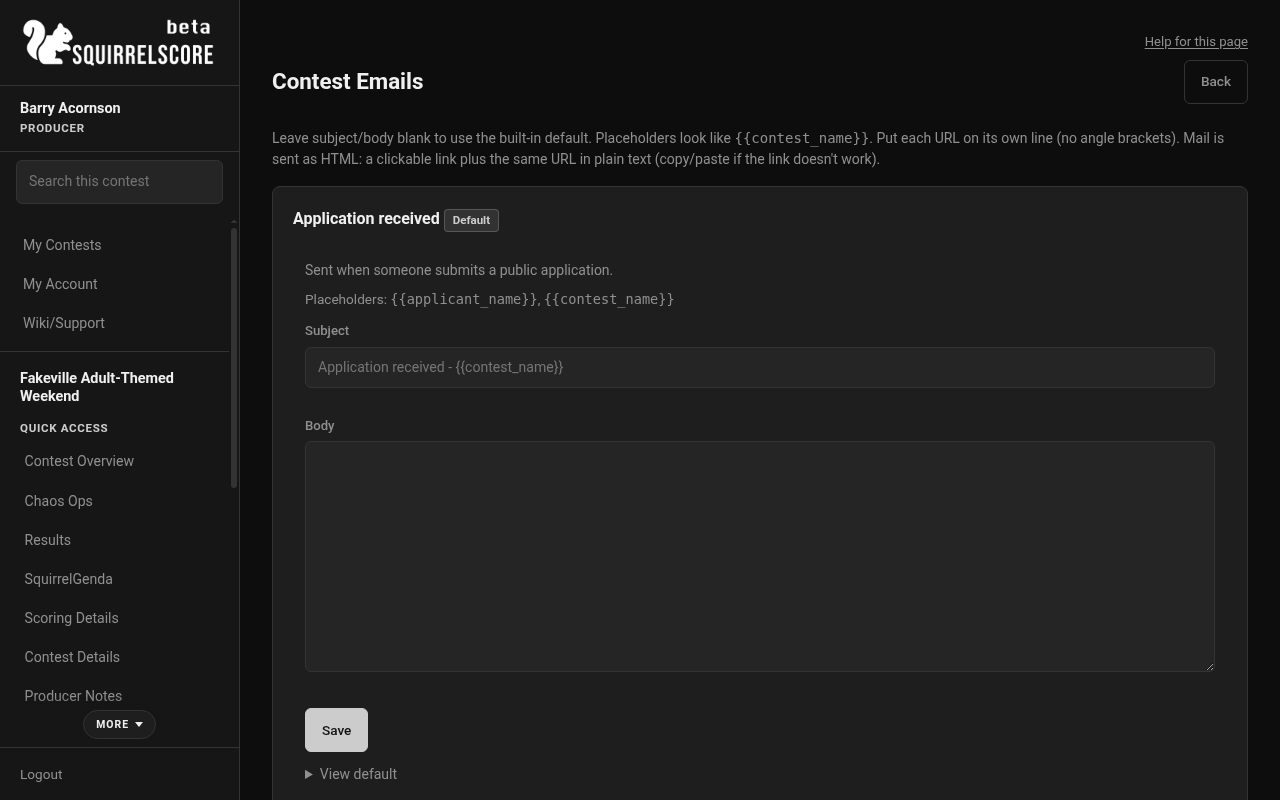
Desktop — Producer, Contest Emails
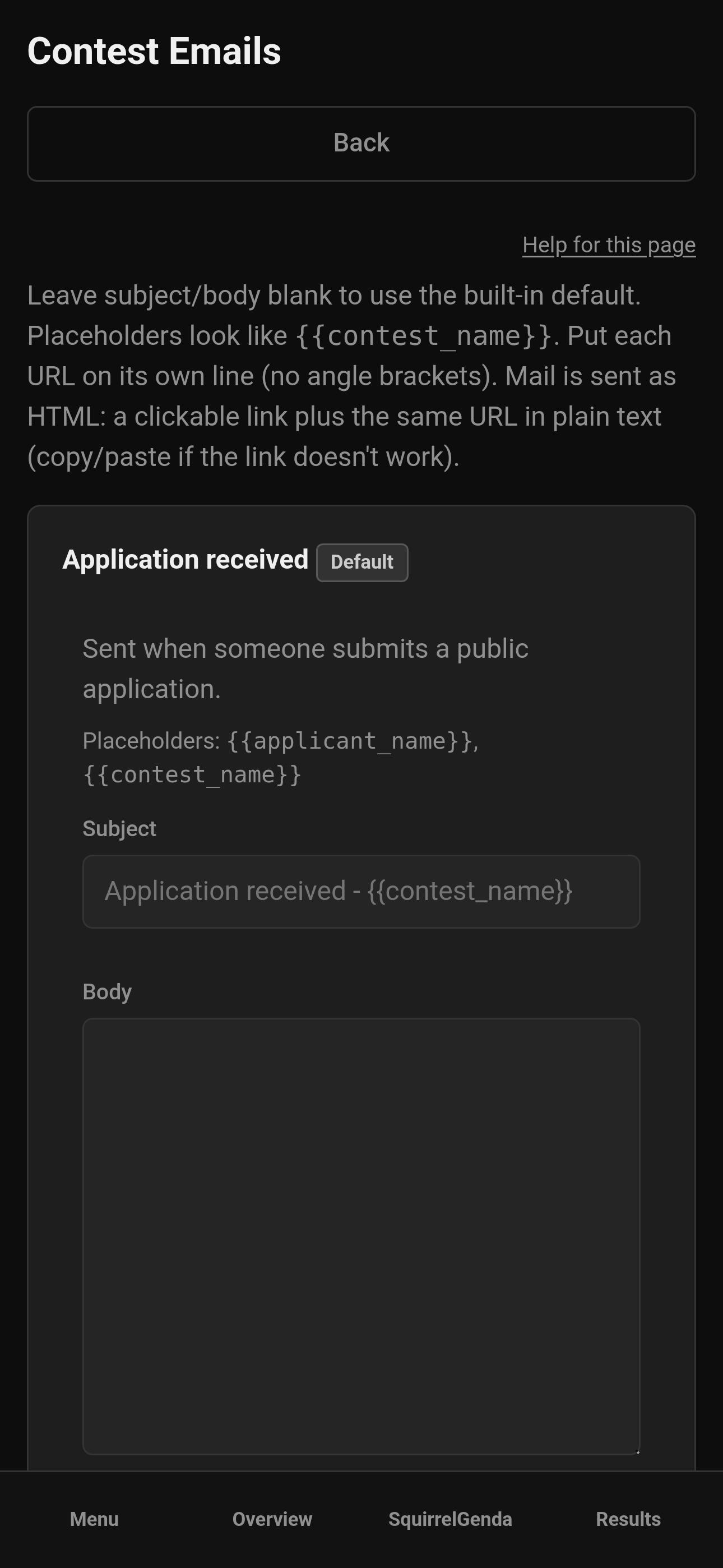
Mobile — Producer, Contest Emails
¶ The templates
Every row below is one TemplateKey. The Placeholders column is the exact, complete list that template accepts - it matches what the edit form shows you, straight from the code (src/email_templates.rs).
| Template | When it sends | Recommended Customization |
|---|---|---|
| Application received | Someone submits a public contestant application | Add your contest's flair, or at least make the signoff from your producers |
| Application approved | You approve an application (no login/password in this one) | Include a "congratulations!" and next steps such as "we will be in touch soon to discuss the schedule. In the meantime, please send us 2 high quality photos of you to use for our marketing materials to this email: your email and use this link to purchase your contestant pass: registration link". |
| New contestant credentials | Approval creates a new contestant account | Add your contest's flair, or at least make the signoff from your producers |
| Application rejected | You reject an application | Add your contest's flair, or at least make the signoff from your producers |
| New judge credentials | Judge agreement approval creates a new judge account | Add your contest's flair, or at least make the signoff from your producers |
| Judge agreement invitation | You invite someone to complete a judge agreement | Include a summary or exciting details about your contest! |
| Judge agreement approved | You approve a judge agreement (no login/password) | Add your contest's flair, or at least make the signoff from your producers |
| Judge agreement rejected | You reject a judge agreement | Explain why it was rejected (i.e. "overwhelming response") |
| Volunteer application received | Someone submits a public volunteer application | Add your contest's flair, or at least make the signoff from your producers |
| Volunteer application approved | You approve a volunteer application (no login/password) | Add your contest's flair, or at least make the signoff from your producers |
| New volunteer credentials | Approval/assignment creates a new volunteer account | Include a summary of the contest, where they can find initial info, and that you'll be reaching out soon to discuss schedule and assignments |
| Volunteer application rejected | You reject a volunteer application | Add your contest's flair, or at least make the signoff from your producers |
| Contestant results released | You click Release Results on Results (and Resend after that) | Tell contestants they can log in to view scores ({{results_url}} / {{login_url}}) or download their results and feedback PDF ({{results_download_url}}). The download link lasts 14 days and is withdrawn if you unlock a section or re-activate the contest. |
| Judge assigned to a week | You assign a judge to a multi-week contest week | Point them at the week they are scoring |
| Week scoring opened | You or a tallymaster open scoring for a week | Tell judges that week's sheet is live |
| Week scoring closed | You or a tallymaster close scoring for a week | Tell judges and tallymasters that judging for that week has stopped |
| Week tally complete | Every scoring section is locked for a week | Tell producers weekly standings are ready. This is not a cut. |
| Week contestant outcome | You confirm a week's eliminations (only if weekly eliminations are on and that week has cuts turned on) | Tell each affected contestant whether they advanced or were eliminated |
| Contact Us received | Someone submits the public Contact Us form | Confirm you got the message. Status changes (Replied / Resolved) do not send another email. Placeholders: {{applicant_name}}, {{contest_name}}. |
| Vendor inquiry received | Someone submits a vendor / sponsor inquiry | Say you'll write again after a decision. |
| Vendor inquiry approved (media received) | You approve and files are already on the inquiry | Confirm approval and that the files arrived. |
| Vendor inquiry approved (media missing) | You approve but files are still missing | Say the upload link will come separately (or include how you'll send it). |
| Vendor inquiry rejected | You reject a vendor / sponsor inquiry | Be clear and kind. |
| Contest media upload link | You click Send or Resend on an upload link | Include {{upload_url}}. Contestants, judges, and approved vendors each get their own link. |
¶ Built-in defaults vs your overrides
-
Every template ships with a sensible built-in default subject/body baked into SquirrelScore itself - you never have to write one from scratch.
-
Leaving Subject and/or Body blank on the edit form keeps (or reverts to) that built-in default; the card shows a Default badge.
-
Typing your own text and saving creates a per-contest override, stored with the contest; the card switches to a Custom badge.
-
Reset to default clears your override and instantly falls back to the built-in text - it does not delete or disable the template, it just stops customizing it.
-
Credential templates (
contestant_credentials,judge_credentials,volunteer_credentials) are protected: if your custom body forgets{{login}}or{{set_password_url}}, SquirrelScore appends the missing login/access info.{{password}}is not a supported placeholder (subject or body). -
The Contestant results released template is similar for the PDF link: if a custom body omits both
{{results_download_url}}and{{results_url}}, SquirrelScore appends the download URL. -
Overrides are per contest. Clone copies your email customizations into the new contest - still skim them for last year's dates and names (Clone & Delete).
¶ Placeholders
Placeholders are wrapped like {{contest_name}}. Common ones include:
-
{{contest_name}} -
{{applicant_name}}/{{judge_name}}/{{volunteer_name}}/{{invitee_name}} -
{{login}},{{login_url}},{{set_password_url}} -
{{contestant_number}},{{judge_number}},{{position_name}} -
{{agreement_url}}on judge invitations -
{{upload_url}}on contest media upload links -
{{results_url}}and{{results_download_url}}on contestant results released (signed-in My Results vs no-login PDF)
Each template lists exactly which placeholders it supports. Don't invent extra placeholders and expect them to fill in.
¶ Reset to default
-
If a template shows Custom, use Reset to default if you want to clear it and go back to the basics.
-
Confirm when asked.
-
The built-in subject/body returns.
¶ Suggested customize order
-
Judge agreement invitation (before you invite anyone).
-
Application received / approved / rejected.
-
Contestant / judge / volunteer credentials templates (set-password friendly).
-
Volunteer application messages.
-
Leave Contact Us / vendor templates on default until you turn those forms on.
-
Contest media upload link, before you send the first file request.
¶ Tips
-
Prefer
{{set_password_url}}so people set their own password. There is no{{password}}placeholder. -
Put URLs on their own line. Do not wrap them in
< >- those wrappers used to break clickable HTML links. -
Customize rejection emails before you reject anyone - kindness goes a long way.
-
View default before rewriting everything; the starter text is usually fine.
-
Chaos Ops weekly summaries are separate (Chaos Settings), not one of these 24.
¶ Common Mistakes
-
Typos in placeholders (
{{contest name}}with a space won't work). -
Editing Application approved expecting passwords - credentials live on the credentials templates.
-
Forgetting to click Save on the template you just finished.
-
Sending invites before customizing the invitation template.
¶ Frequently Asked Questions
Do I have to customize all 24?
No. Defaults work. Customize the ones you'd like. A little bit of editing can go a long way, though, since this will be the first communication from the contest for some people and will set the tone.
Where do Chaos Ops emails live?
Chaos Ops > Chaos Settings (weekly + send now).
Can co-producers edit emails?
Yes, producers on the contest can maintain templates.
Is HTML fancy formatting supported?
The edit form is plain-text friendly (no bold/italic editor). SquirrelScore still sends the mail as HTML: URLs become clickable links, with the same address shown in plain text in case someone needs to copy/paste.