¶ Purpose
Add, edit, and delete sub-contests - which are groups of contestants.
Sub-contests group people. They are typically going to be your title lines. Each contest should have at least 1 sub-contest.
Only use sub-contests if the same judges and tallymasters will be judging the contestants - if they're judged by different groups of judges, use separate contests.
¶ Before You Begin
-
Have a contest open in Manage.
-
Decide your sub-contest or title line names before you enroll contestants.
-
Know that Emcee Reveal and Results use these groups to rank the results independent of other sub-contests (all sub-contests will have a winner, 1st runner up, 2nd runner up, etc for each sub-contest).
¶ Step-by-Step: add a sub-contest
-
Open Manage for the contest.
-
Find the Sub-Contests card.
-
In the add row, type a Sub-contest name.
-
Click Add.
-
Confirm it appears in the Sub-Contests table.
-
Repeat for each division/group.
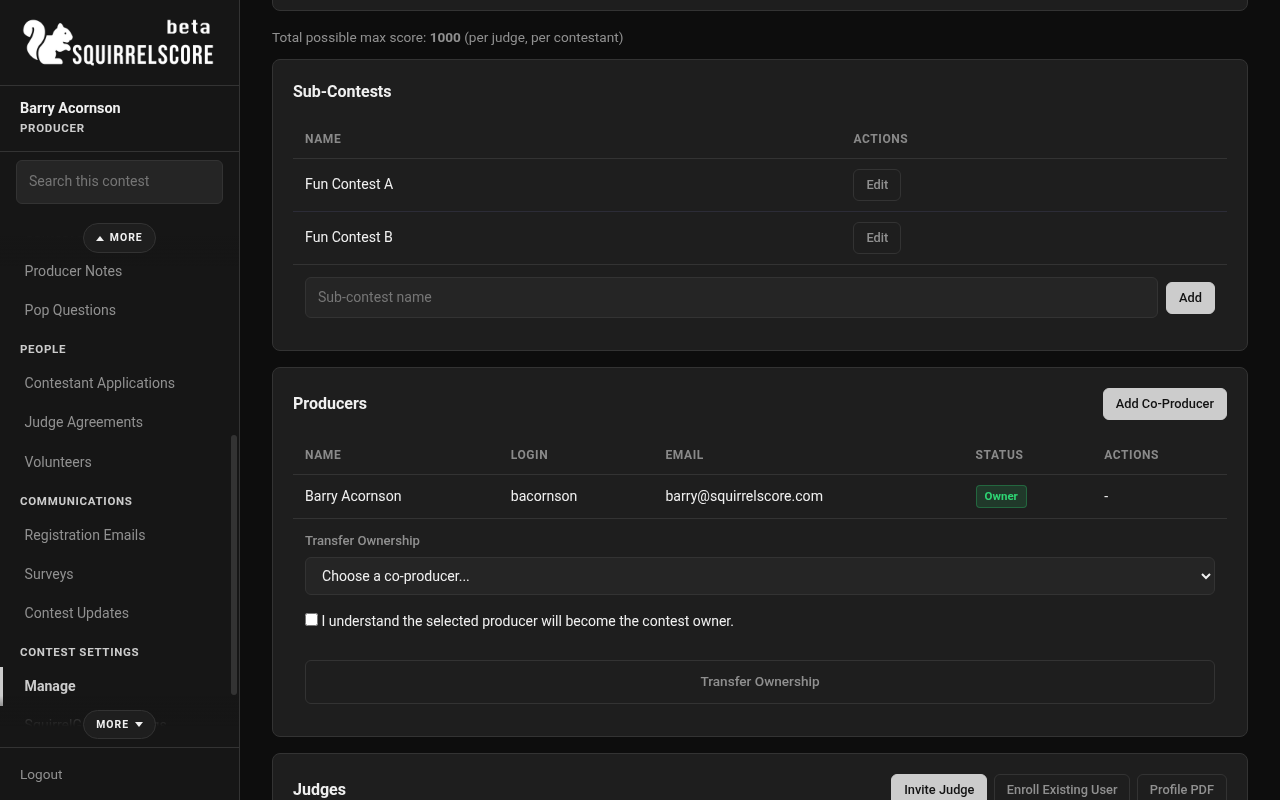
Desktop — Producer, Sub-Contests on Manage
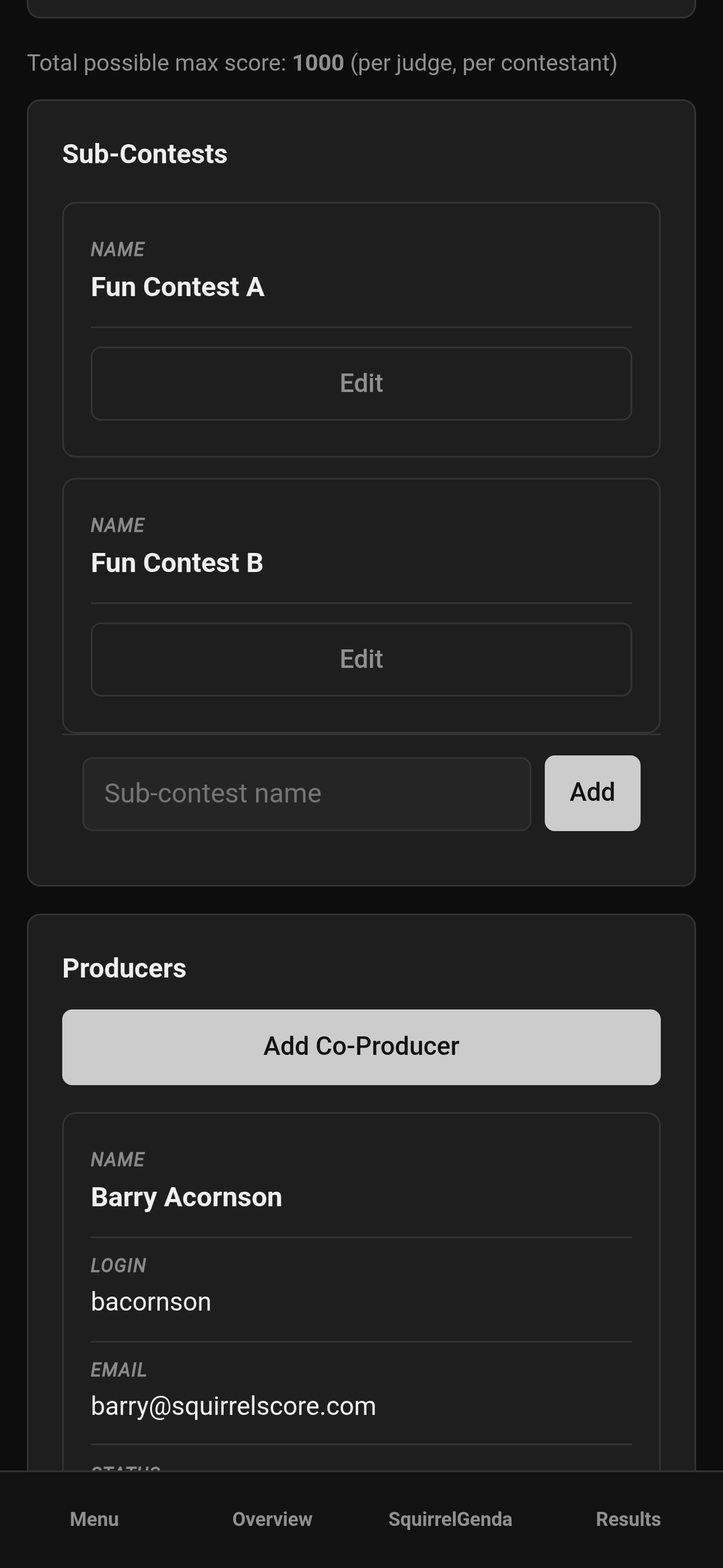
Mobile — Producer, Sub-Contests on Manage
¶ Step-by-Step: edit a sub-contest
-
On the Sub-Contests table, click Edit for the row.
-
Change the Sub-Contest Name.
-
Click Update Sub-Contest.
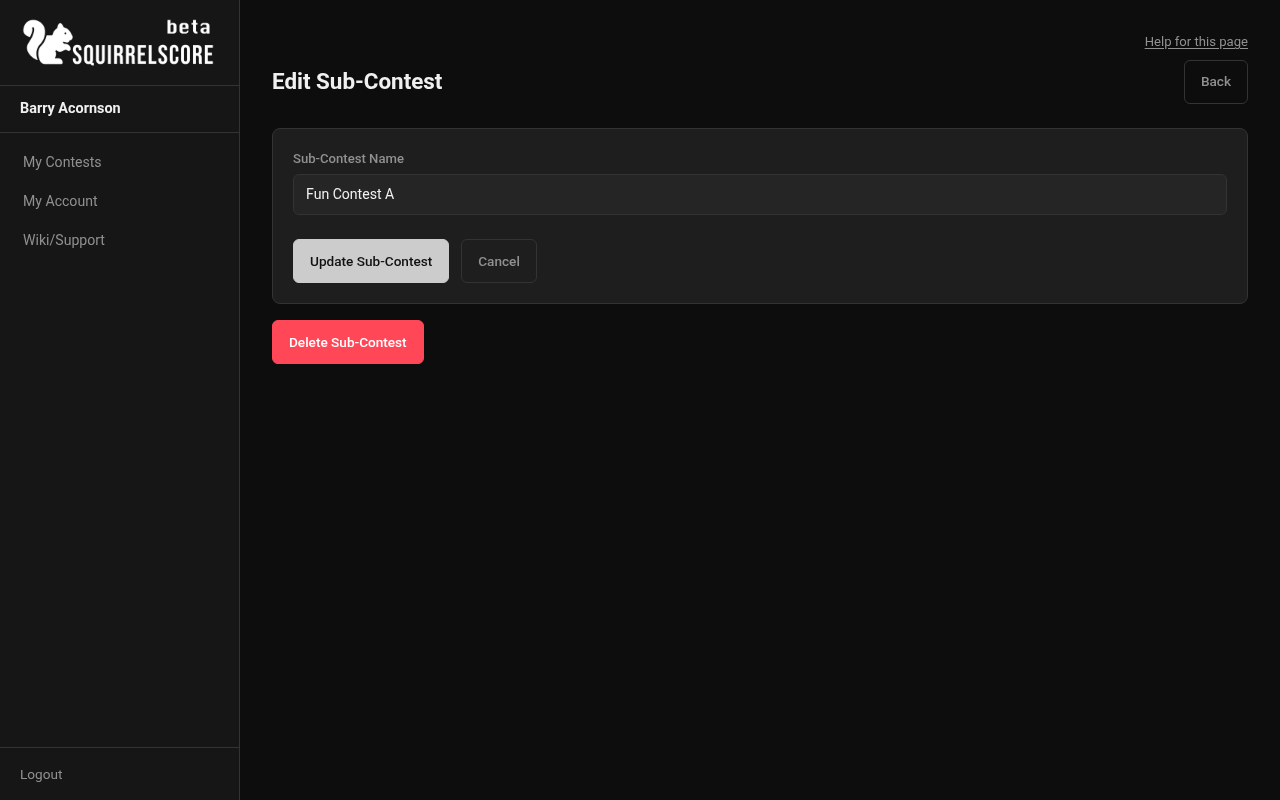
Desktop — Producer, Edit Sub-Contest
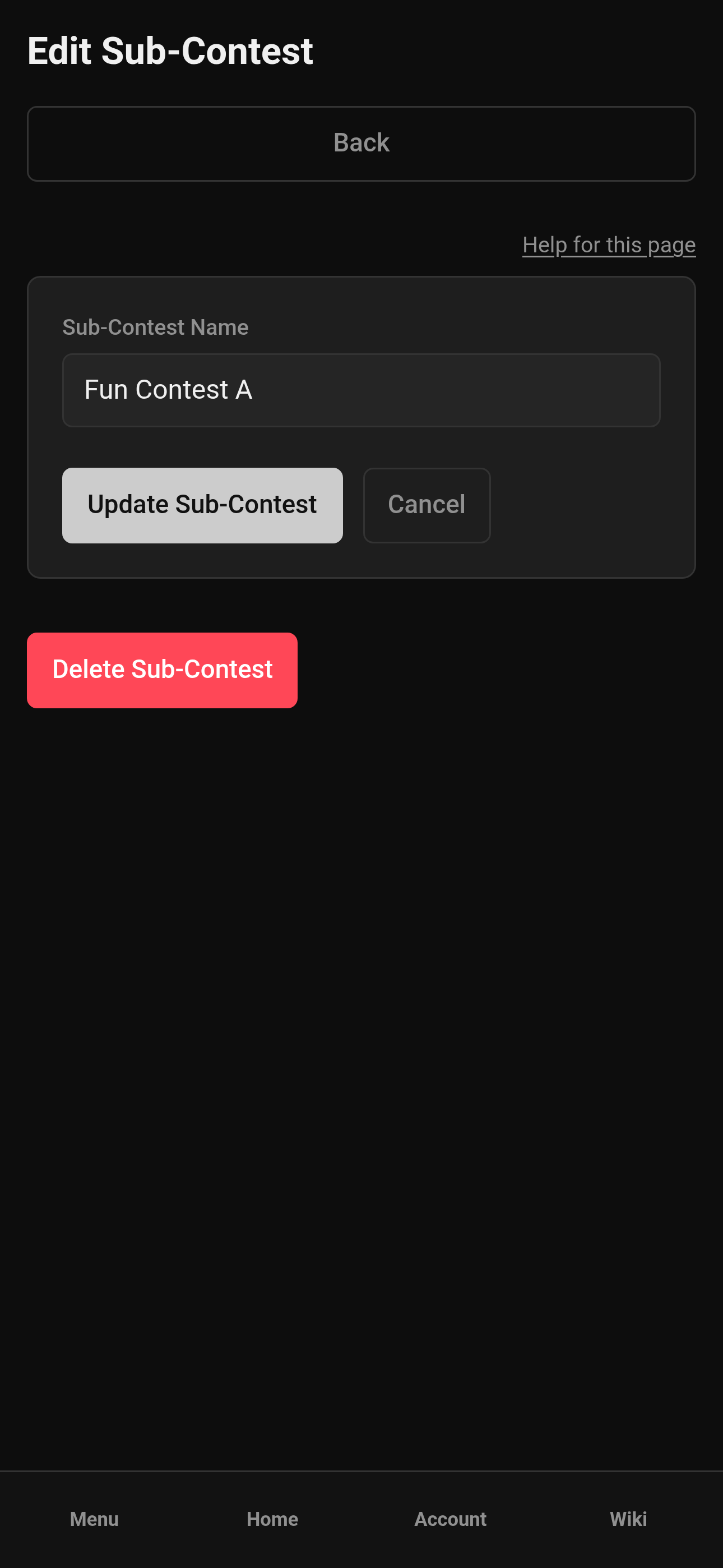
Mobile — Producer, Edit Sub-Contest
- Click Cancel / Back if you change your mind before saving.
¶ Step-by-Step: delete a sub-contest
-
Open Edit on the sub-contest.
-
Click Delete Sub-Contest.
-
Confirm - this cannot be undone.
-
Re-assign any contestants who still needed that group (edit contestants and pick a new sub-contest or None).
¶ Assign contestants
-
Open a contestant Edit page (contestants will also be able to select which title line/sub-contest when submitting an application).
-
Find Sub-Contest.
-
Choose the proper sub-contest from the dropdown.
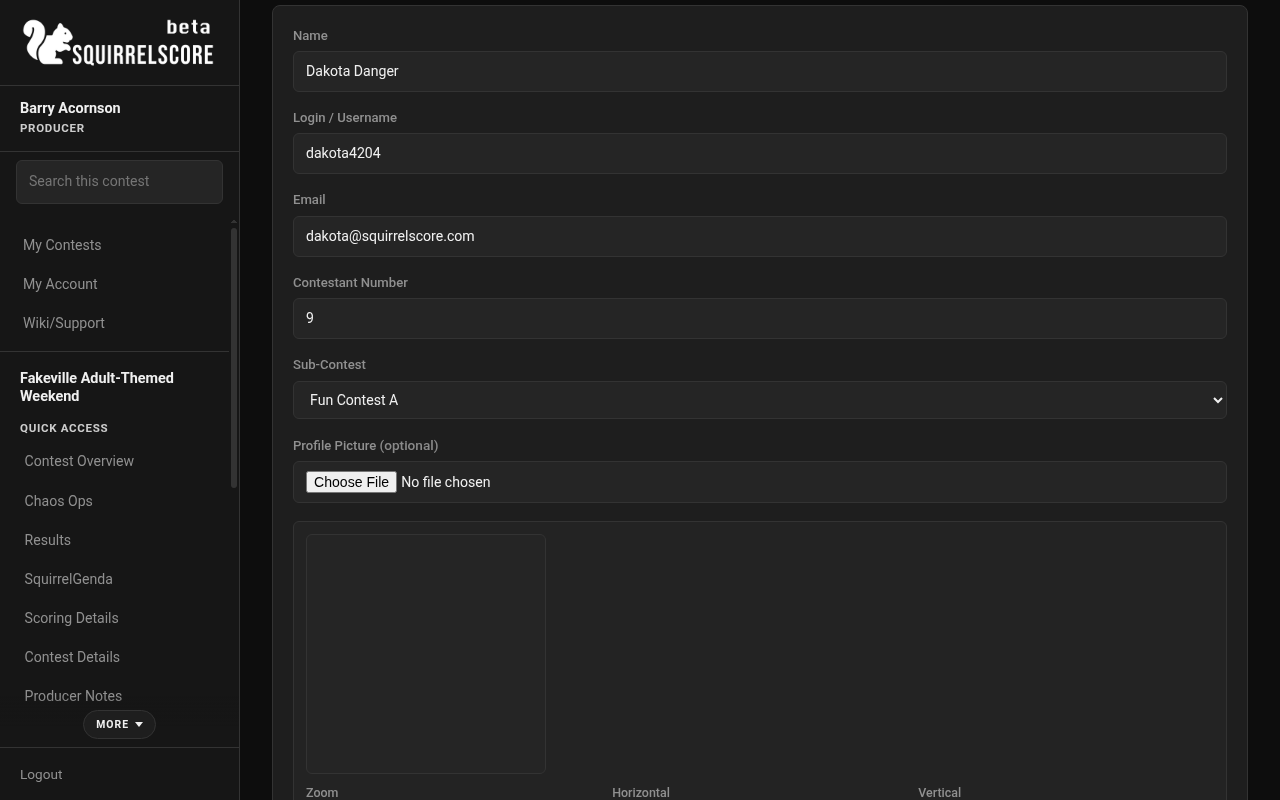
Desktop — Producer, assign sub-contest on contestant edit
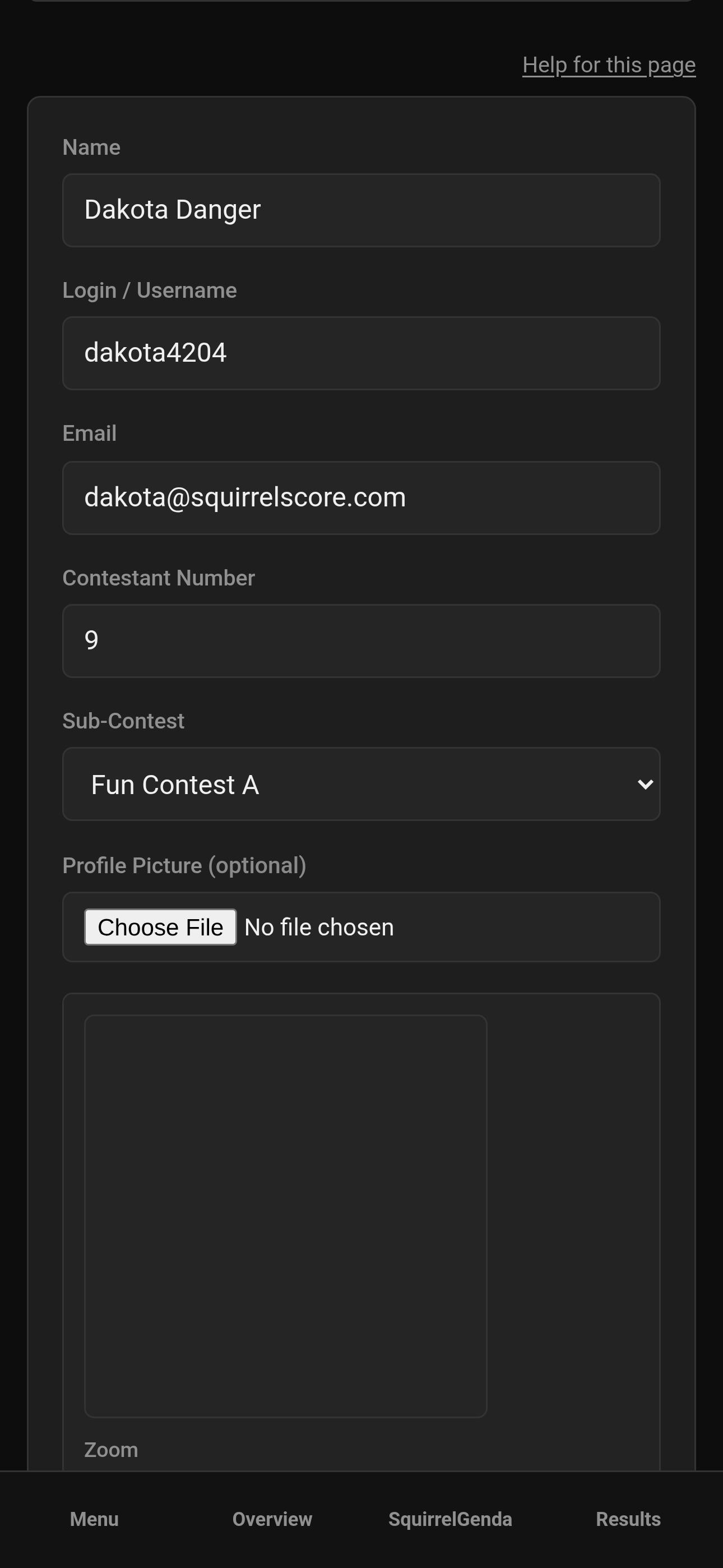
Mobile — Producer, assign sub-contest on contestant edit
-
Save / Update.
-
Spot-check Results / Emcee Reveal pickers so the group populations look right.
¶ How sub-contests show up later
-
Results- standings impact grouping
-
Emcee Reveal- pick a sub-contest/group to reveal placements
-
Exports / packets- grouping follows how results are organized
-
Contestant lists- easier headcounts per division
If everyone is in one big contestant group for one title, you might only need a single sub-contest. Use structure that matches your contest.
¶ Tips
-
Name groups the way they'll be announced ("Mx State Title" beats "Group 2").
-
Create sub-contests before applications so assignment is for the contestant to select.
-
Don't delete anything without a thorough plan, let alone delete a sub-contest without a backup plan.
¶ Common Mistakes
-
Confusing sub-contests with scoring sections (different tools entirely).
-
Leaving everyone on None and then wondering why Emcee Reveal groups look empty.
-
Deleting a sub-contest people were still assigned to without re-homing them.
-
Using clever internal codenames nobody understands.
¶ Frequently Asked Questions
Do I need sub-contests?
Many contests use them for divisions; some run a single group/title.
Can a contestant be in two sub-contests?
Assignment is one sub-contest on the contestant record.
Are sub-contests the same as volunteer positions?
No. Volunteers use positions; contestants use sub-contests.
Where do I build score criteria?
Scoring structure - different page.
¶ Naming examples that work on a mic
-
Mr. / Ms. / Mx. Title
-
Sir / Boy / Girl
-
Pet / Pup / Handler Trainer
-
Regional qualifier groups
Avoid "Temp1" and "asdf" - those won't make sense to others who will need to access the contest.