¶ Purpose
View full results from the tallymaster view, apply whole-number score adjustments if needed by producers (per the contest scoring rules, of course), and jump to reveal/export tools when section locks are all in place.
¶ Before You Begin
-
Prefer having scored sections in good shape. Results shows a lock warning until every section is locked; automatic tiebreak and producer tiebreak points wait until then.
-
Know whether score adjustments are enabled in contest settings
-
Agree with the producer who is allowed to adjust and why (write the reason(s) down or log it in a group chat)
¶ Step-by-Step Instructions
-
Open the contest from My Contests.
-
Click Results in the sidebar.
-
Review placements, totals, and section breakdowns as shown. On a multi-week contest, use the week buttons (or Overall). Weekly review is that week's scores. Overall remaining ties are producer points only; Automatic Tiebreak runs on each week's sheet. You do not confirm eliminations from Results.
-
Spot-check anything that looks odd against judge completion / locks.
-
If adjustments are enabled and needed, open Score adjustments.
-
Enter integer adjustments per your contest's rules and save.
-
Return to Results and confirm the standings updated.
-
When all sections are locked, use Emcee / PDF / CSV / XLSX actions as available.
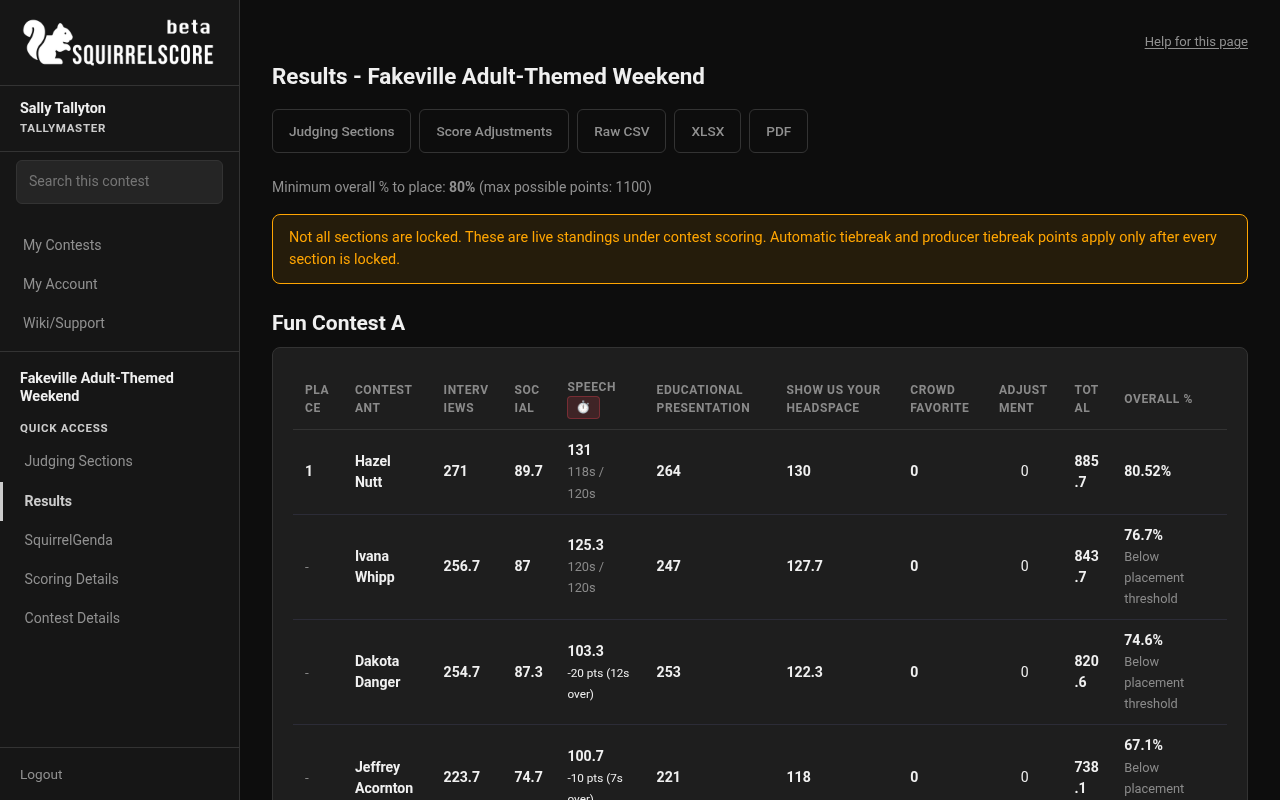
Desktop — Tallymaster, Results (live standings, Crowd Favorite)
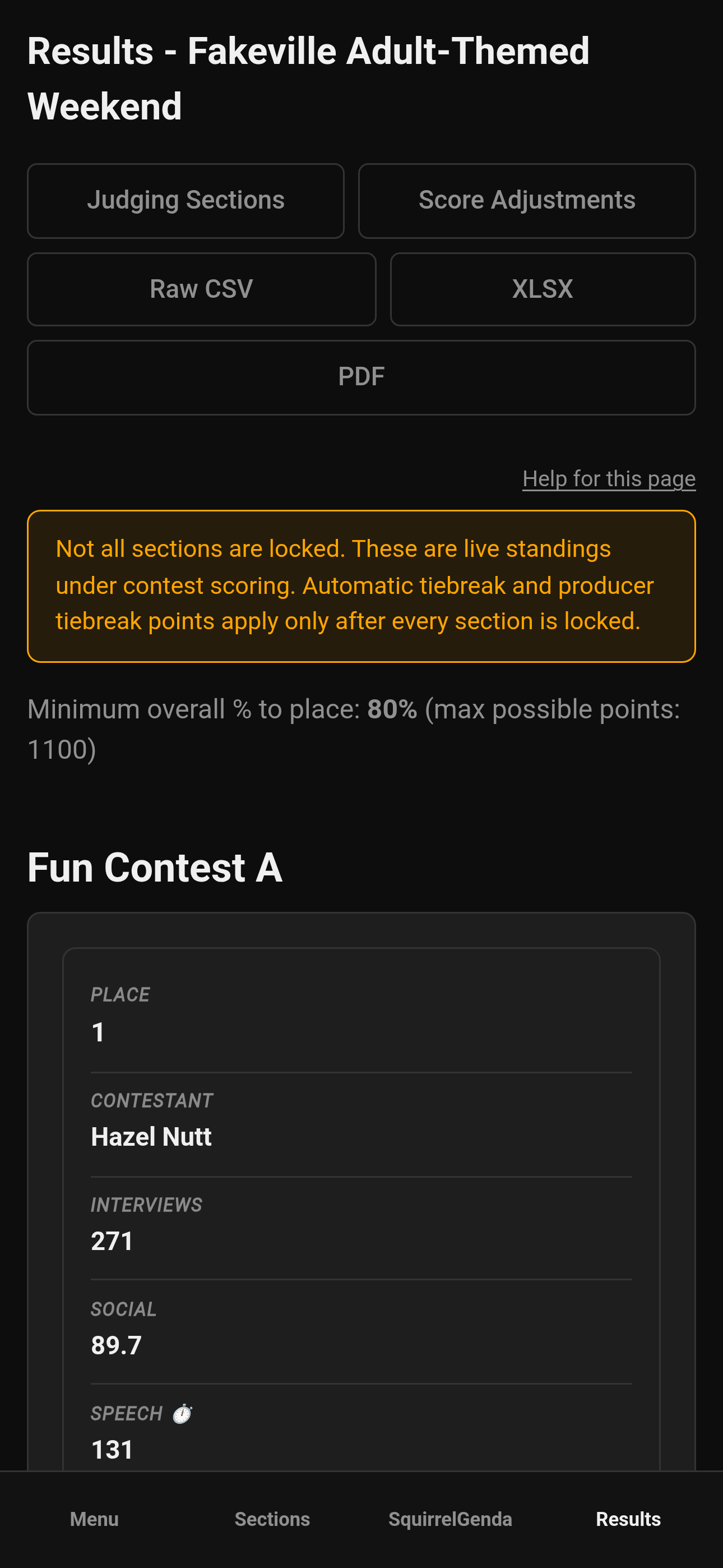
Mobile — Tallymaster, Results (live standings)
¶ Score adjustments
Adjustments are optional and controlled by contest settings. When enabled for tallymasters:
-
Use whole numbers as the form expects
-
Adjust for published rules (penalties already handled elsewhere shouldn't get double-dipped without a conversation)
-
Save, then re-read Results before anyone announces a winner
If you don't see adjustments, they're disabled - or you're looking at a role/page that doesn't include them
¶ Tips
-
Treat early Results as a live dashboard; treat post-lock Results as official.
-
Screenshot before and after big adjustments and save them to a folder to review later.
-
Open Emcee Reveal only after you're confident everything is verified, and the tallymasters, producers, and head judge agree on the results.
¶ Common Mistakes
-
Adjusting twice because you and the producer didn't coordinate who was going to handle adjustments
-
Exporting PDFs, then adjusting, then sending the old PDF anyway
-
Expecting contestant My Results to populate while the contest is still active
¶ Frequently Asked Questions
Who else can adjust?
Producers may also have adjustment tools when settings allow. Coordinate - don't both edit adjustments at the same time.
Do adjustments require locks first?
Follow your contest process. Many teams lock scoring sections first, then adjust only for agreed exceptions.
Can I break ties here?
Producers choose whether Automatic Tiebreak is on in contest settings. When it's on and every section is locked, weekly Results re-ranks only the tied contestants who are at or above Minimum Overall % to Place (Olympic off, then point-system normalizing off, then Judge + Alternate Judge scores together if still tied) and shows labels plus original scores. Contestants below that floor stay unranked with no tie badges and no remaining-tie card. If eligible people are still tied after all of that, the producer enters tiebreak points on Results (ranking only; Total does not change). On a multi-week contest, those week points stay on that week's sheet. Overall Results uses producer points only. Score Adjustments still change overall totals — coordinate with the producer. Details: Results & tiebreakers (producer).
When do contestants see My Results?
Not from tallymaster exports. Contestants wait until all sections are locked, the contest is inactive, and a producer clicks Release Results.