¶ Purpose
Let audience members score a section instead of the judge panel or the tallymaster - where collected scores are aggregated/averaged and your audience stays engaged.
This scoring is great for things like classes or demonstrations. Use this when you want "crowd feedback that counts," not just Pop Questions-style fun.
¶ Before You Begin
-
Have a contest with sections built.
-
Decide which section(s) should be audience-scored.
-
Decide whether each contestant's link needs a passphrase (to help narrow responses to current attendees only, for example).
-
Plan ahead on how to get the contestant's unique link/QR to the audience, and when you're going to open and close the form (i.e. "open for five minutes after the presentation ends" or "open for the duration of their class").
¶ Who can access what
| Area | Who |
|---|---|
Public scoring form (/audience-score/{token}) |
Anyone with that contestant's link (and passphrase, if set) |
| Create link / enable / open / close / re-open / rotate / passphrase | Producer or tallymaster |
| Audit / exclude submissions | Producer or tallymaster |
| Results visibility | Same as any other scored section, for that role |
¶ Turn a section into Audience Scoring
-
Open Manage > Sections > add or edit a section.
-
Set the Scoring Mode dropdown to Audience (public link per contestant) - a section can only use one exclusive mode; Judges is the default and Tallymaster is the other option.
-
Add subsections as usual (name, description, min/max) - audience members see the same rubric judges would.
-
Save.
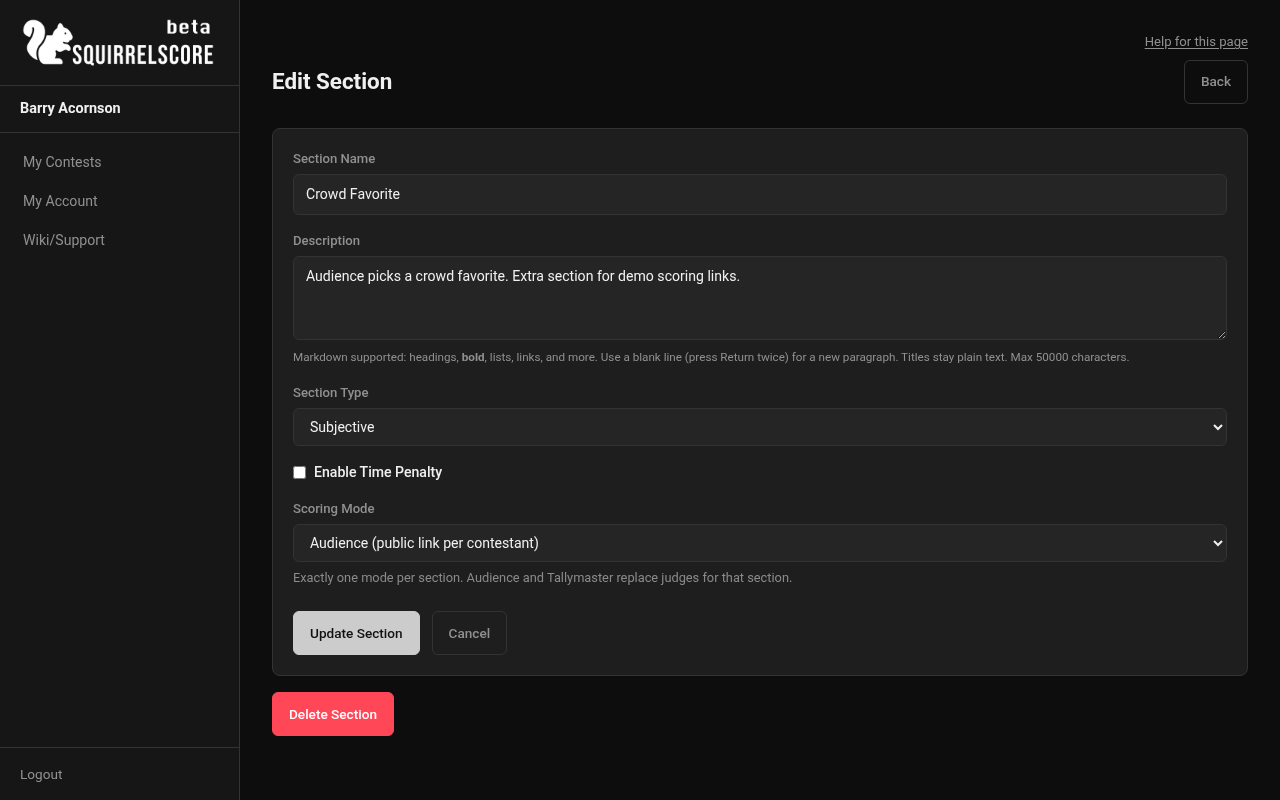
Desktop — Producer, Scoring Mode set to Audience
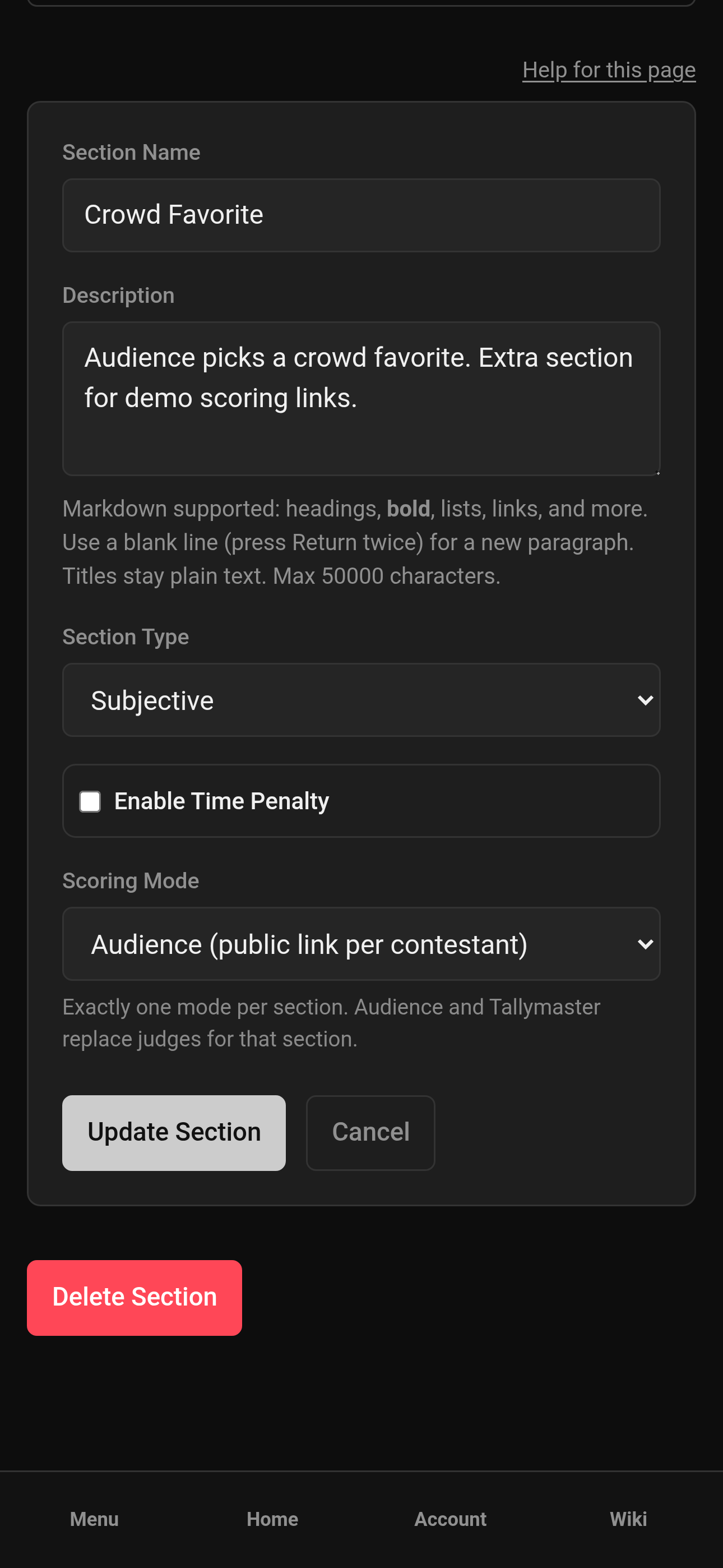
Mobile — Producer, Scoring Mode set to Audience
¶ Create and share a contestant's link
-
From Manage (or the tallymaster section list), open the audience-scored section - its row shows an Audience Score button in place of the usual subsection tools.
-
Find the contestant's row and click Create Link.
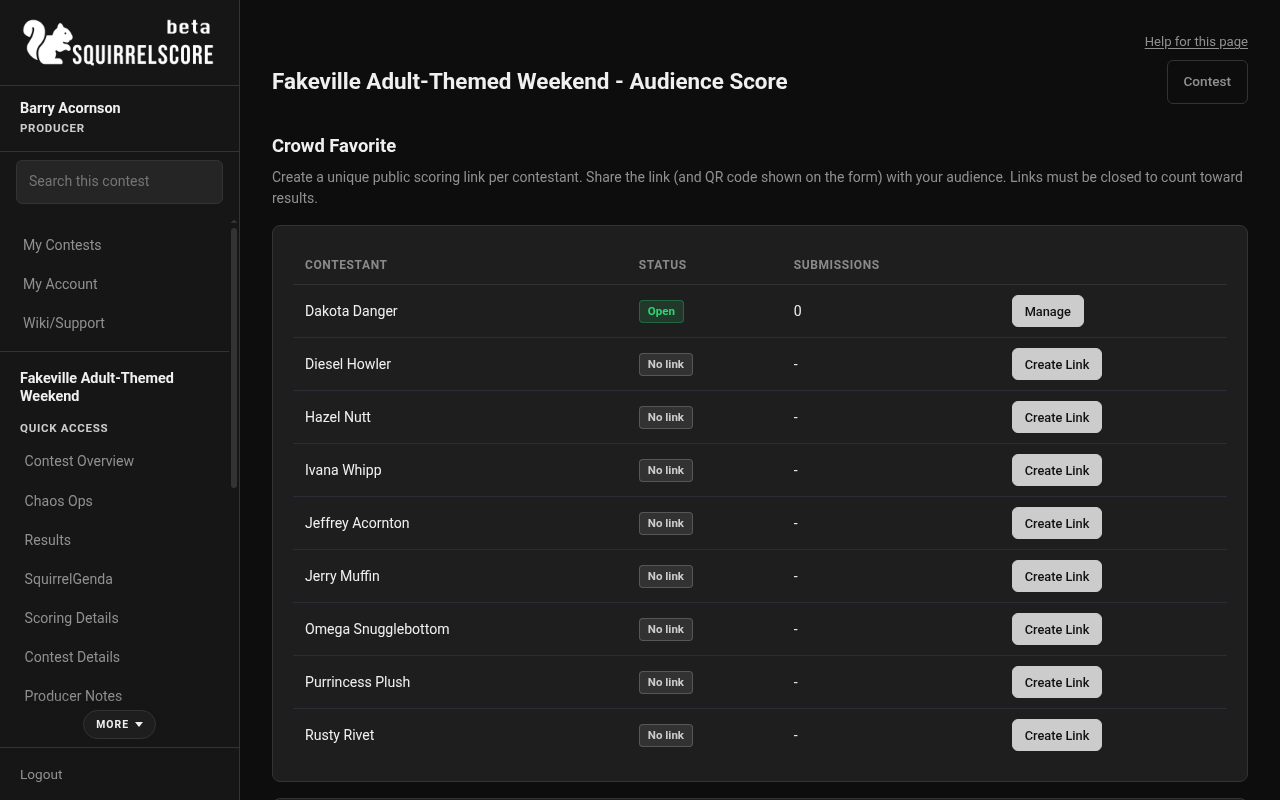
Desktop — Producer, Crowd Favorite audience score list
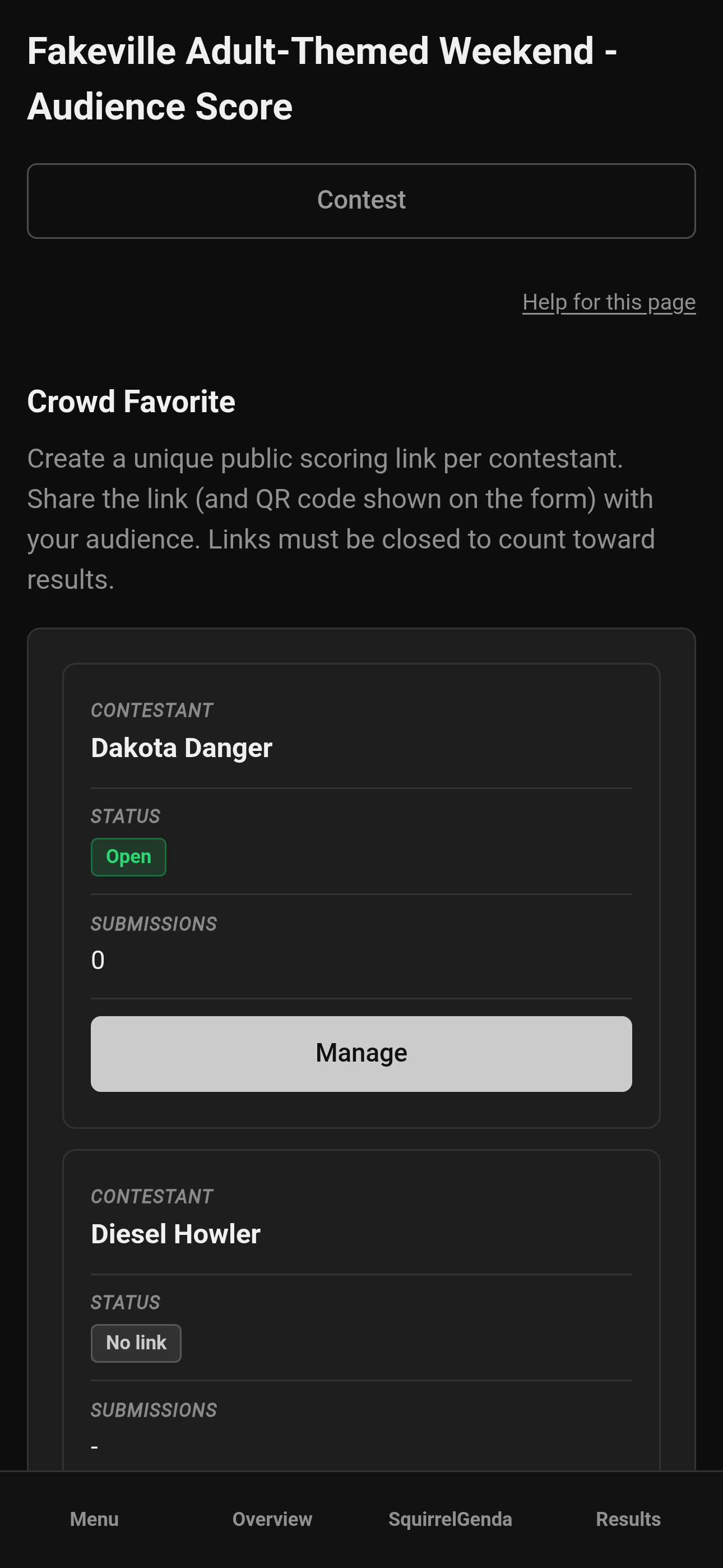
Mobile — Producer, Crowd Favorite audience score list
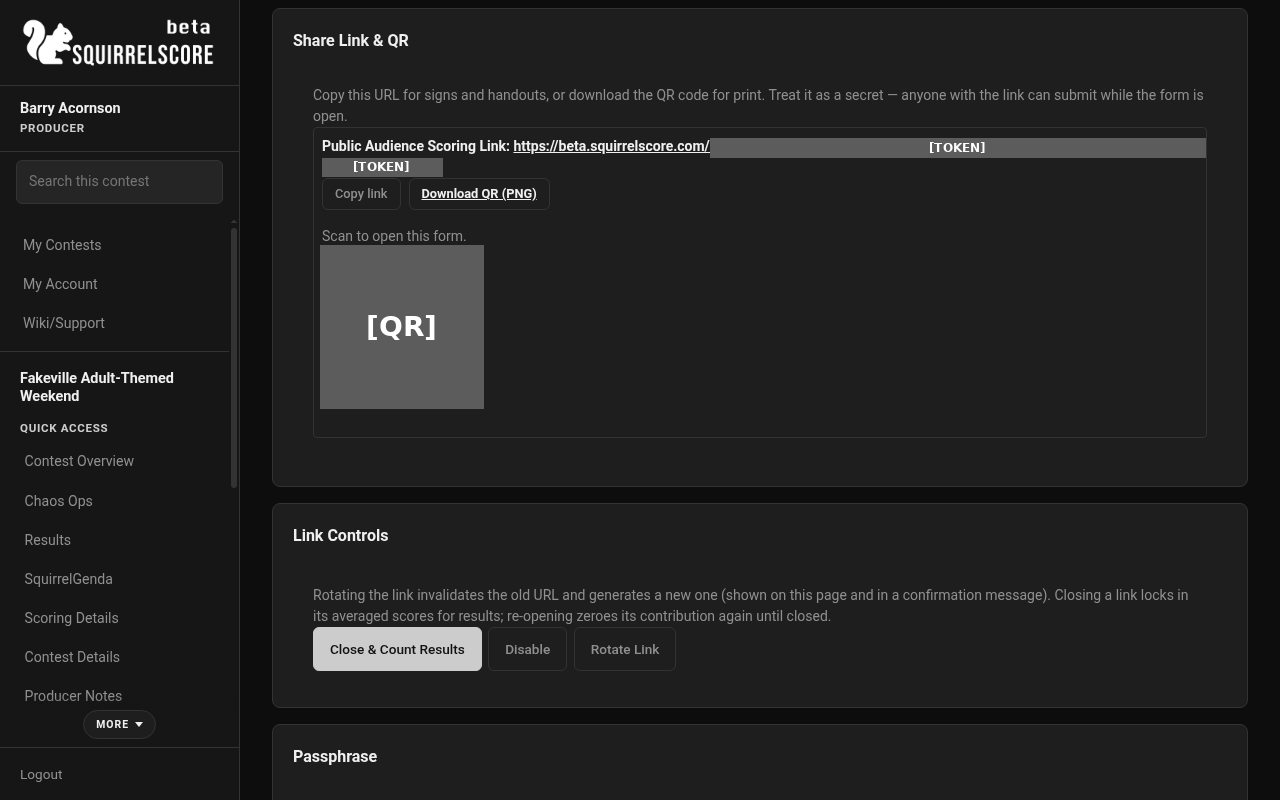
Desktop — Producer, audience scoring link and QR (token redacted)
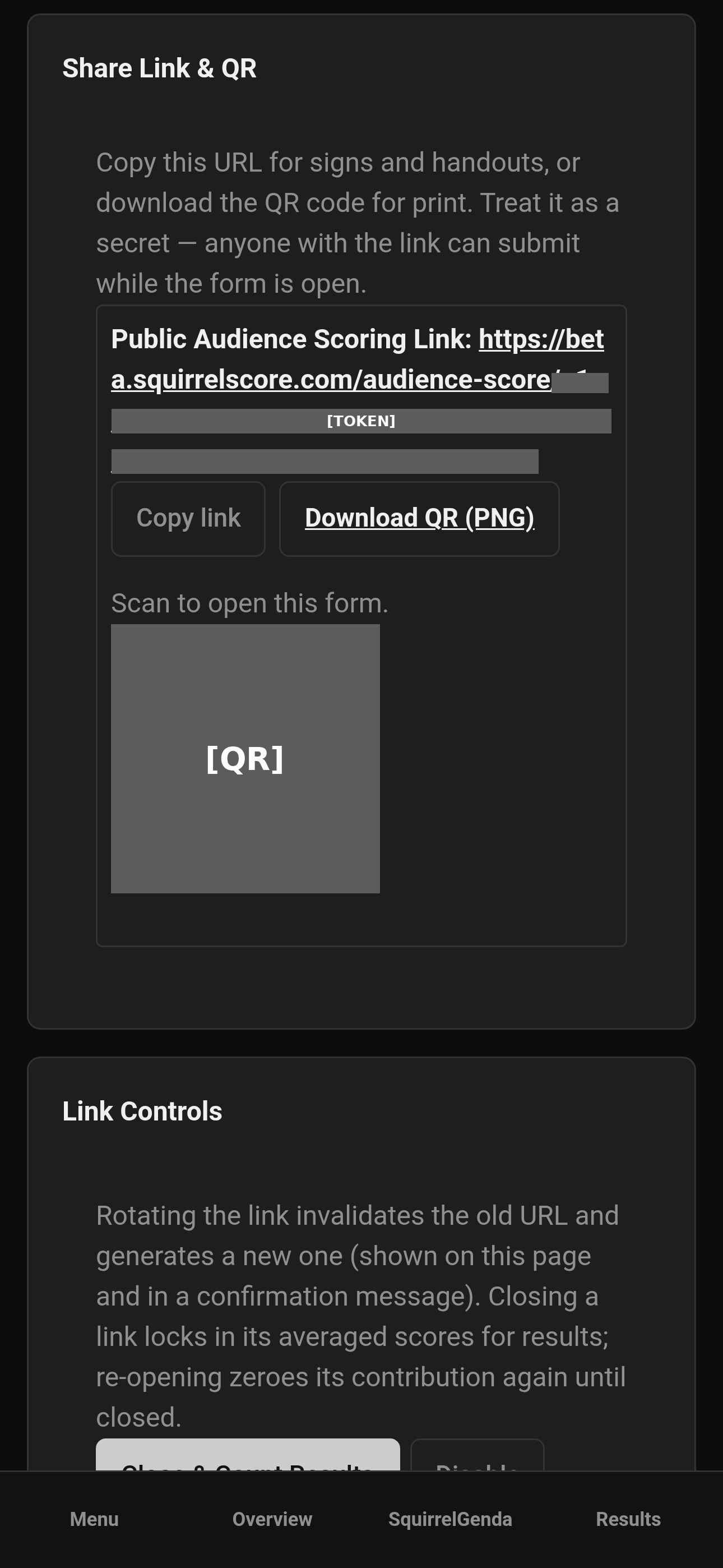
Mobile — Producer, audience scoring link and QR (token redacted)
-
Open that link's manage page for ongoing controls:
-
Share URL & QR - a Copy button grabs the absolute link to your clipboard and a QR code appears with its own Download button so you can save a PNG for signage/handouts without a screenshot. Treat the URL as a secret.
-
Open for Scoring - makes the link live for the public.
-
Close & Count Results - stops new submissions and rolls the averaged scores into totals.
-
Re-open - allows new submissions again; this contestant's section contribution drops back to 0 until you close again. Not commonly used, but is available just in case.
-
Disable - the public page shows "not available"; no submissions accepted.
-
Rotate Link - invalidates the old URL and issues a new one (manage page updates immediately).
-
Passphrase - optional shared passphrase gate, same pattern as other public forms.
-
-
Share the link (and the QR from the manage page) on signage, projected slides, or printed programs.
-
Repeat for every contestant in that section - each contestant gets their own unique link.
On the same section page you can turn on Require the registration email to be on the contest list. The list itself lives on Registration Emails (one list per contest). That page walks through exporting from your ticketing system, saving a CSV, and uploading it — you do not invent a special SquirrelScore spreadsheet. Capitalization is ignored. If the check is on and the list is empty, every submission is rejected on purpose. One submission per email per contestant still applies. Optional scheduled open / close / disable times apply to all links in that section (contest timezone). Clone copies the audience scoring mode, not last year's email list or the form-entry check — restore the list from backup or add this year's emails and turn the check on again if you use it.
The public survey form is a different tool and never uses this typed email to identify anyone.
¶ While a link is open
-
The audience member enters an email plus a score for every subsection, with optional per-subsection feedback.
-
Exactly one submission per email per contestant per section - a repeat attempt from the same email is blocked with a clear "already submitted" message.
-
While open (including right after a re-open), that contestant's audience section contributes 0 to results, even if submissions already exist. Nothing is final until you close and count.
¶ Closing and aggregation
Closing recalculates the snapshot from currently counted submissions - the same family of math as a tallymaster section (not a new scoring universe):
-
For each subsection, SquirrelScore averages the counted submissions' values.
-
Those subsection averages are summed (like a tallymaster section sum).
-
That sum is already on the contest's point scale. Audience sections ignore Olympic (no drop high/low, and they never use the Olympic-reduced judge count). If point-system normalizing is on, that sum is not multiplied by judge count and is not divided by the normalizing divisor (it is rounded to a tenth). If normalizing is off, the sum is multiplied by the enrolled Judge count so it sits on the same scale as judge-scored sections.
-
Every close (including after a re-open) reruns this recalculation from whatever is currently counted.
¶ Audit and exclude submissions
Open a link's manage page to see every submission: email, submitted time, IP (when resolvable), status, and an Exclude reason column.
-
Counted - valid and not excluded; feeds the averages and appears in results.
-
Excluded - you (or the tallymaster) marked it out. The Exclude control expands into a small form with an optional reason textarea (for your own audit trail - "duplicate ticket," "not a valid submission," etc.); toggle Include to bring it back, which also clears the stored reason. You CAN also take time to compare the collected results with emails used for registration, if you really want to assure only present attendees have submitted the scores.
-
Auto-invalid - missing or out-of-range subsection scores are excluded automatically, with a reason label; these can't be manually "included."
Registration emails, IP addresses, and exclude reasons never appear outside this audit view - not on Results, PDFs, Emcee Reveal, contestant-facing pages, or any non-audit export. These are just for producers and tallymasters to use to validate submissions if desired.
¶ Results & PDFs
When closed, audience-scored sections roll into totals/places like a tallymaster section, but the presentation is audience-flavored:
-
No individual "judge" rows or separators.
-
The averaged number per subsection, plus the counted per-subsection feedback.
-
No registration emails, ever.
-
While still open (or re-opened and not yet closed again), the section shows a 0 contribution - don't treat pre-close numbers as final.
¶ Tips
-
Create every contestant's link in advance; rotating later means reprinting signage or regenerating stage graphics.
-
Show the passphrase on a separate sign from the QR code if you want to use it to gate responses, and only show them when scoring opens.
-
Close each contestant's link as soon as that segment of the contest wraps - only re-open if you truly need more submissions.
-
Treat exclude/include like you would a disqualified ballot - keep a note of why in your log.
¶ Common Mistakes
-
Checking both Scored by Tallymaster and Scored by Audience on the same section (the form blocks this - pick one).
-
Assuming an open link's submissions already count - they don't, until you close.
-
Sharing one contestant's link for a different contestant "because it's basically the same section."
¶ Frequently Asked Questions
Can judges also score an audience-scored section?
Yes - By using the same audience submission route and becoming one of the aggregated submissions. Scored by Audience replaces the judge panel for that section, the same way Scored by Tallymaster does.
Does the email need to match a SquirrelScore login?
No. It's for audit purposes such as comparing against your own external event registration data if you so choose, and is never checked against SquirrelScore accounts. If you turn on the optional email-list check, the form email must match an address on the contest registration email list (capitalization ignored) — still not a SquirrelScore login.
What if the list is empty with the check on?
Every submission is rejected until you add emails or turn the check off. That is on purpose so a forgotten empty list does not accidentally let the whole internet through.
What if someone's ticket was purchased as a bundle under a different email?
The form's helper text covers that - use whichever email you use if you didn't submit under the main purchaser's email. The important part is one submission per email per contestant per section.
Who can enable/disable/close a link?
Producer managers and tallymasters - the same operational tier as tallymaster-scored sections.
Can I export the audience audit data?
Yes, once a contestant's link is closed - see Backup & restore.