¶ Purpose
Download contest score PDFs, raw CSV data, and individual contestant feedback PDFs from Results when those actions are available. The combined judge Profile PDF lives on Manage (Judges card), not Results.
Exports are how you archive the contest and send scoresheets and feedback to contestants, among other things.
¶ Before You Begin
-
Have meaningful scores in the system for Results exports (empty score packets aren't the most helpful). The judge Profile PDF does not need locked scores - only enrolled judges.
-
Decide whether exports should show judge names or prefer judge numbers (Contest settings > Results Exports Show Judge Name).
-
Use a browser that can download files; see Downloading files if your device is picky.
-
Don't close the tab mid-build on a huge contest.
¶ Step-by-Step Instructions
For score packets:
-
Open the contest.
-
Go to Results.
-
Find export actions such as PDF, CSV, or per-contestant PDF/feedback downloads.
-
Click the export you want. XLSX shows a browser delay warning first — click OK, then wait for the file.
-
Wait for the download to start - large contests can take a moment while the file builds.
-
Open the file locally (PDF reader or spreadsheet app).
For the judge Profile PDF (every enrolled judge's photo, name, and selected agreement answers):
-
Open Manage.
-
On the Judges card, click Profile PDF (it appears once at least one judge is enrolled).
-
Wait for the download (
Contest_Name-Profile_PDF.pdf).
Choose which agreement questions print on Judge agreements (Include in Profile PDF, on by default).
Downloads are named {Contest_Name}-{Download_Title}.pdf (or .csv), with a contestant name on the end for a per-person results PDF. Spaces and hyphens inside those names become underscores. CSV files also append a UTC timestamp (…-20260822T232215Z.csv) so a second click does not reopen the previous export. See Downloading files.
¶ What you can download
Depending on contest state and what's offered on the page:
| Export | Typical use |
|---|---|
| Contest scores PDF | Full packet / archive for the board (Contest_Name-Scores.pdf) |
| Raw CSV | Spreadsheet analysis, backups, custom reports (Contest_Name-Raw_Data-20260822T232215Z.csv; the timestamp is the download time so each click is a new file). Does not include audience subsection averages. |
| XLSX | Workbook beside Raw CSV. Summary is the first tab (sub-contest, official Place, contestant, number, Total / % as Excel formulas, eligible to place). Contestant sheets follow in sub-contest then place order; a hidden Parameters sheet is last. There is no Excel RANK column — use Place for titles. Audience subsection averages are on the contestant sheets. Sheet names strip Excel-illegal characters (\\ / ? * [ ] : ') and fall back to Contestant / Contestant_2. Confirm the browser delay warning, then wait for the file (Contest_Name-Judge_Data-20260824T031600Z.xlsx). |
| Per-contestant PDF | Individual contestant score/feedback packets (Contest_Name-Individual_Results-Contestant_Name.pdf) |
| Judge Profile PDF | All enrolled judges' selected agreement answers, from Manage (Contest_Name-Profile_PDF.pdf) |
| Contest Details PDF | Letter-size copy of the read-only Contest Details page (Contest_Name-Contest_Details.pdf; Download PDF on that page, not Results — also on the public hub when that card is on). Description Markdown is included; names stay plain. |
| Scoring Details PDF | Letter-size copy of the read-only Scoring Details rubric (Contest_Name-Scoring_Details.pdf; Download PDF on that page, including the public hub when that card is on). Same limited Markdown on descriptions. Opens with how the contest is scored (overall range, Olympic / normalizing when enabled); section min/max is bold on the section line. |
If a Results action isn't shown yet, scores or permissions may not be ready - finish scoring or check with your tallymaster/producer teammate. Profile PDF appears on Manage once at least one judge is enrolled.
Results snapshot CSV: the results snapshot pack uses the same totals and places shown on Results (after Olympic / point-system normalizing flags, Automatic Tiebreak once locked, and producer tiebreak points). It also includes original totals and tiebreak points columns.
Raw CSV alternate judge columns: the raw CSV includes a column for every Judge and every Alternate Judge on the contest. Regular judge columns count normally toward totals. Alternate Judge columns still show whatever they scored, but the header is clearly labeled so nobody mistakes them for counted votes - for example Judge Name (alternate - not counted) when judge names are shown, or Alternate Judge #2 (not counted) when judge numbers are shown instead. See Alternate coverage & tiebreak for when those columns actually matter.
XLSX vs Raw CSV: use CSV for a flat dump. Use XLSX when you want formulas (named contest parameters: judge count, Olympic, point-system normalizing) and per-contestant sheets. Summary Place is the official Results place after Automatic Tiebreak; the workbook does not add a spreadsheet rank column. Audience Olympic is ignored; when point-system normalizing is on, audience totals are not multiplied by judge count.
¶ Judge names vs judge numbers
Contest setting: Results Exports Show Judge Name (instead of Judge #).
-
On- exports show judge names.
-
Off- exports use judge numbers where available.
Make sure this is set right (it is also recommended to discuss with your judges, too, to make sure everyone is comfortable if you'd like to share names) before you download or release anything.
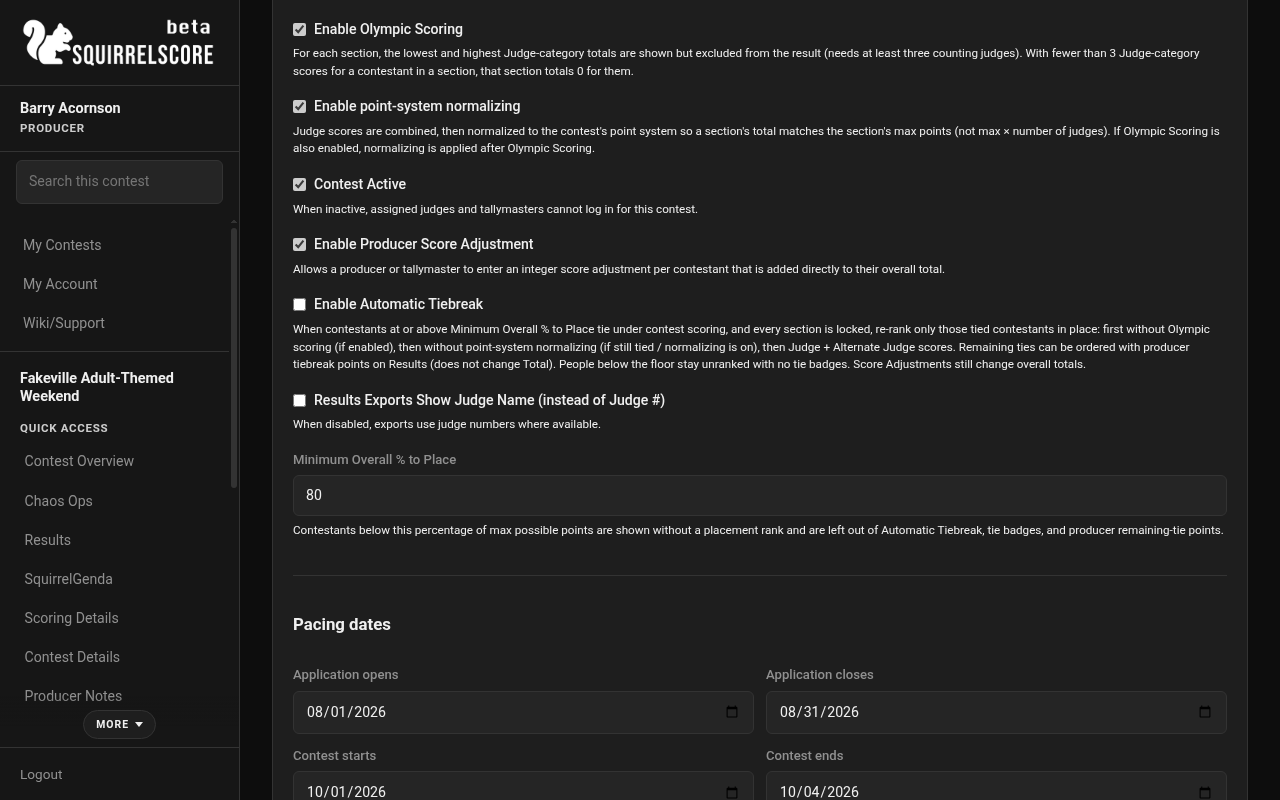
Desktop — Results Exports Show Judge Name (Edit Contest)
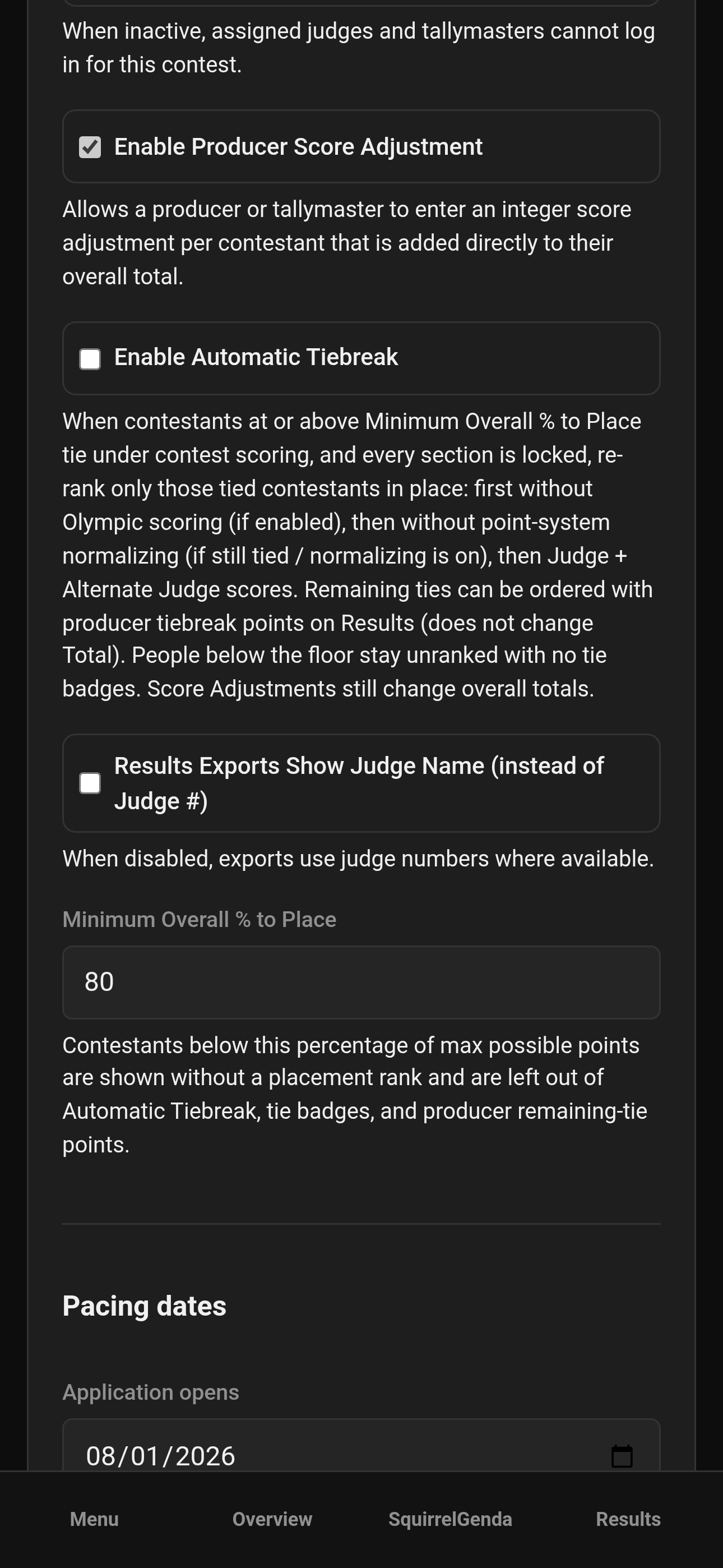
Mobile — Results Exports Show Judge Name (Edit Contest)
¶ File archive suggestion
After everything is announced (and you give yourself a moment or three to breathe):
-
Confirm judge name vs number setting matched what you intended to distribute.
-
Download the contest overall results PDF.
-
Download the raw CSV and, if you want formulas, the XLSX (wait after the browser warning).
-
Download per-contestant PDFs for contestants.
-
Download the judge Profile PDF from Manage if you want the agreement packet.
-
Store in a dated folder with the contest name.
¶ Tips
-
Contestant PDFs respect the judge name setting - set that policy first.
-
Export once when results are stable; exporting every three minutes creates a mess to keep track of.
-
CSV is great for auditing; PDF is great for review.
-
On phones, know where your browser stores downloads (Mobile usage).
¶ Common Mistakes
-
Leaving the page during a long PDF build - wait for the download to start.
-
Emailing packets before everything is finalized/announced.
-
Distributing named-judge PDFs when your judges expected more anonymity through judge numbers.
-
Opening CSV in Notepad and declaring the system broken because columns look weird - use a spreadsheet app.
¶ Frequently Asked Questions
Can tallymasters export too?
Yes - see Tallymaster exports.
Why is my PDF missing a section?
That section may have no scores yet, or it may be configured differently - verify on Results and Scoring Details.
Where do files save?
Your browser's download folder unless you chose otherwise.
The CSV looks like an older export.
Each Raw CSV / Backup CSV click saves a new timestamped file and is not cached. Close the old spreadsheet and open the newest download. See Downloading files.
Is there a separate Exports menu?
Score PDFs and CSVs live on Results when available. The judge Profile PDF is on Manage (Judges card). Backup CSV packs are on Backup & Restore.