¶ Purpose
After you log in, you land on My Contests — one shared list for every contest role (producer, judge, tallymaster, contestant, volunteer). It's your launchpad: pick a contest, then dive into scoring, managing, prep, or results.
After you log in, My Contests is where you pick the contest and the role you're working.
¶ Before You Begin
-
Be logged in
-
Know which contest you need (title, weekend, city — whatever your crew uses)
-
Know your role for that contest (judge vs producer vs contestant, and so on) — the card's role badge tells you which hat that card is for
¶ Step-by-Step Instructions
-
Log in successfully. You should land on My Contests (same page whether you opened it from
/producer,/judge,/tallymaster,/contestant, or/volunteer). -
Read the intro: Please select a contest from the list below. Depending on your role, you may have different options available to you.
-
Scan the cards. Each card shows the contest name, your role (Producer, Judge, Tallymaster, Contestant, or Volunteer), and an Active / Inactive badge.
-
If you wear more than one hat, you may see more than one card for the same contest (for example Judge on Saturday's contest and Contestant on Sunday's). Open the card whose role matches the job you're doing right now.
-
Click the action that matches that role, for example:
-
Open Contest (producers, judges, tallymasters)
-
Results (tallymasters)
-
Contest Details / Scoring Details / My Application / My Results (contestants)
-
Contest Details (volunteers)
- Opening a contest switches your session to that contest and that role, so the left sidebar matches the card you clicked.
If you can create contests, New Contest appears at the top right. See Creating a contest.
¶ What each role usually sees on a card
| Role badge | Typical card actions |
|---|---|
| Producer | Open Contest (opens Contest Overview). Contest owners also get an Owner badge next to Producer. Inactive producer contests stay in this main list so you can still manage them. |
| Judge | Open Contest (opens judging). A Go Do the Things checklist may appear on the card when Chaos Ops is on (collapsed when everything is complete). |
| Tallymaster | Open Contest plus Results. |
| Volunteer | Contest Details, plus your position when one is assigned. |
| Contestant | Contest Details, Scoring Details, My Application, My Results, plus contestant # when assigned. Badges also show Results available or Results pending. A Go Do the Things checklist may appear on the card when Chaos Ops is on. |
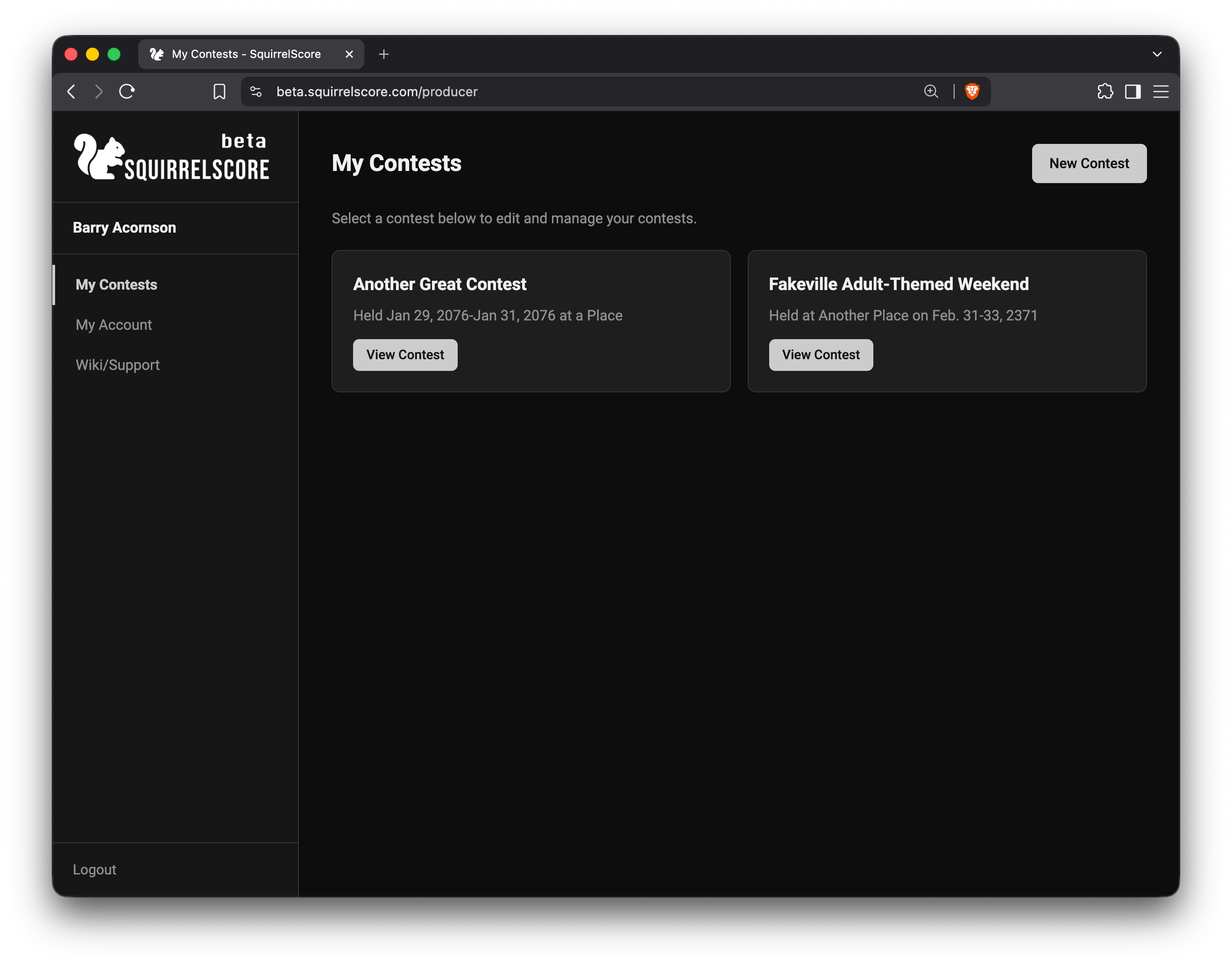
Producer - My Contests
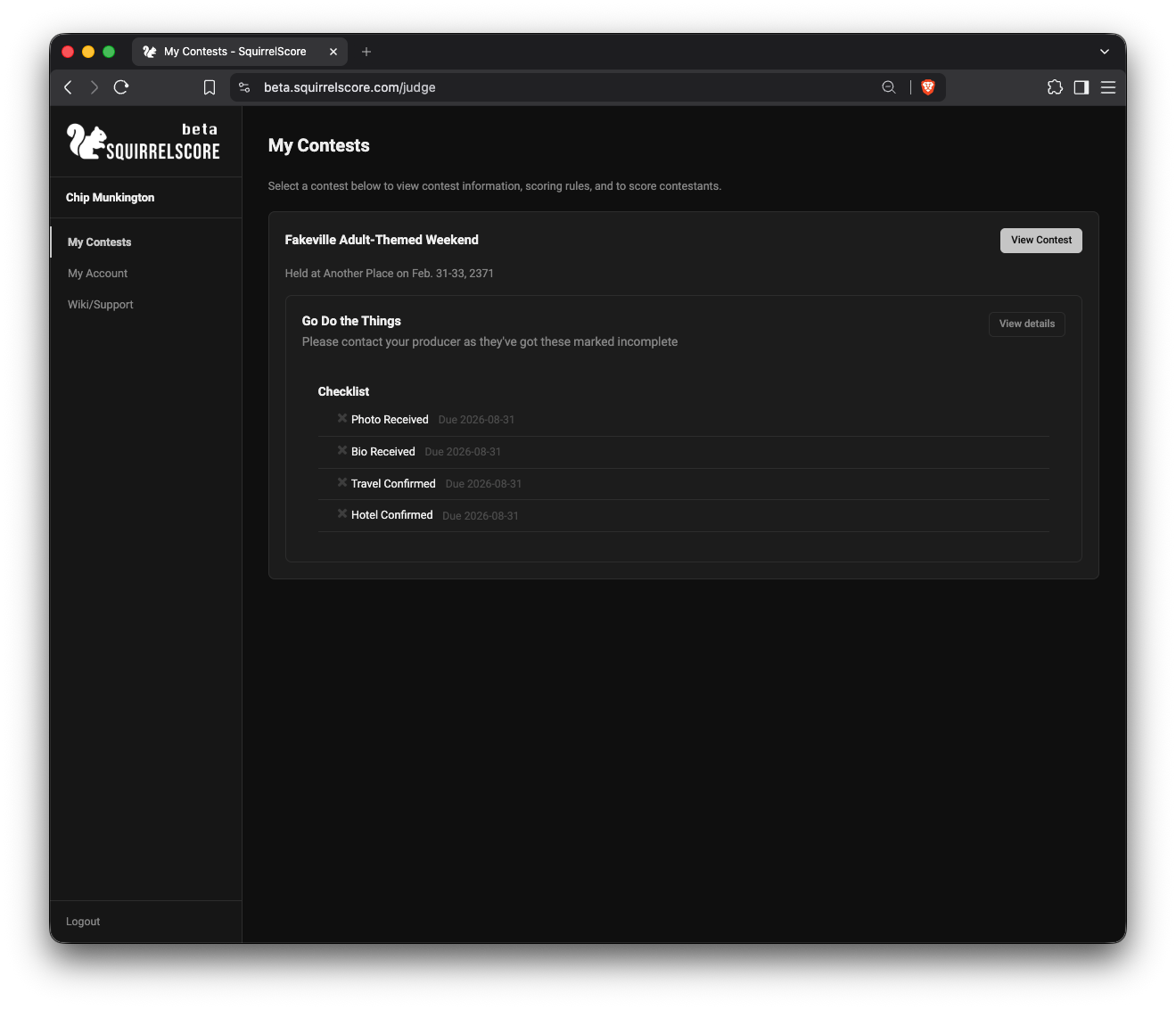
Judge - My Contests
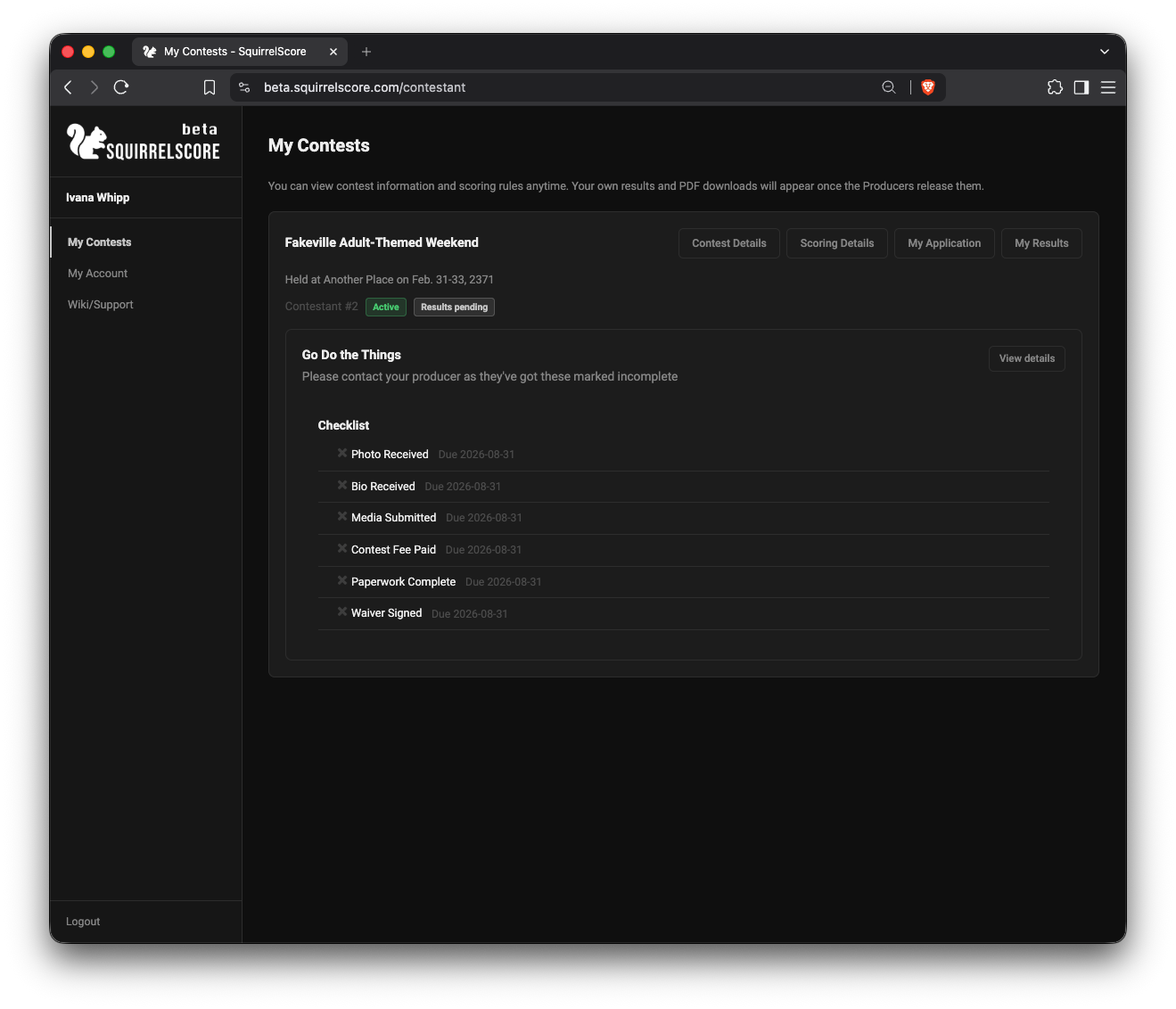
Contestant - My Contests
¶ Inactive Contests
Below the main list, Inactive Contests appears when you still belong to a contest but have no actions available for that membership right now:
-
Judges, tallymasters, and volunteers on an inactive contest
-
Contestants on an inactive contest before results are released
Those cards have no buttons. The page explains: you currently do not have any active actions available in these contests. If this is in error, please contact the appropriate Producer.
Producers do not get parked here for inactive contests they own or co-produce — those stay in the main list so you can still open Manage, Overview, and Results.
Contestants move back to the main list (with My Results) once a producer clicks Release Results (contest inactive and all sections locked).
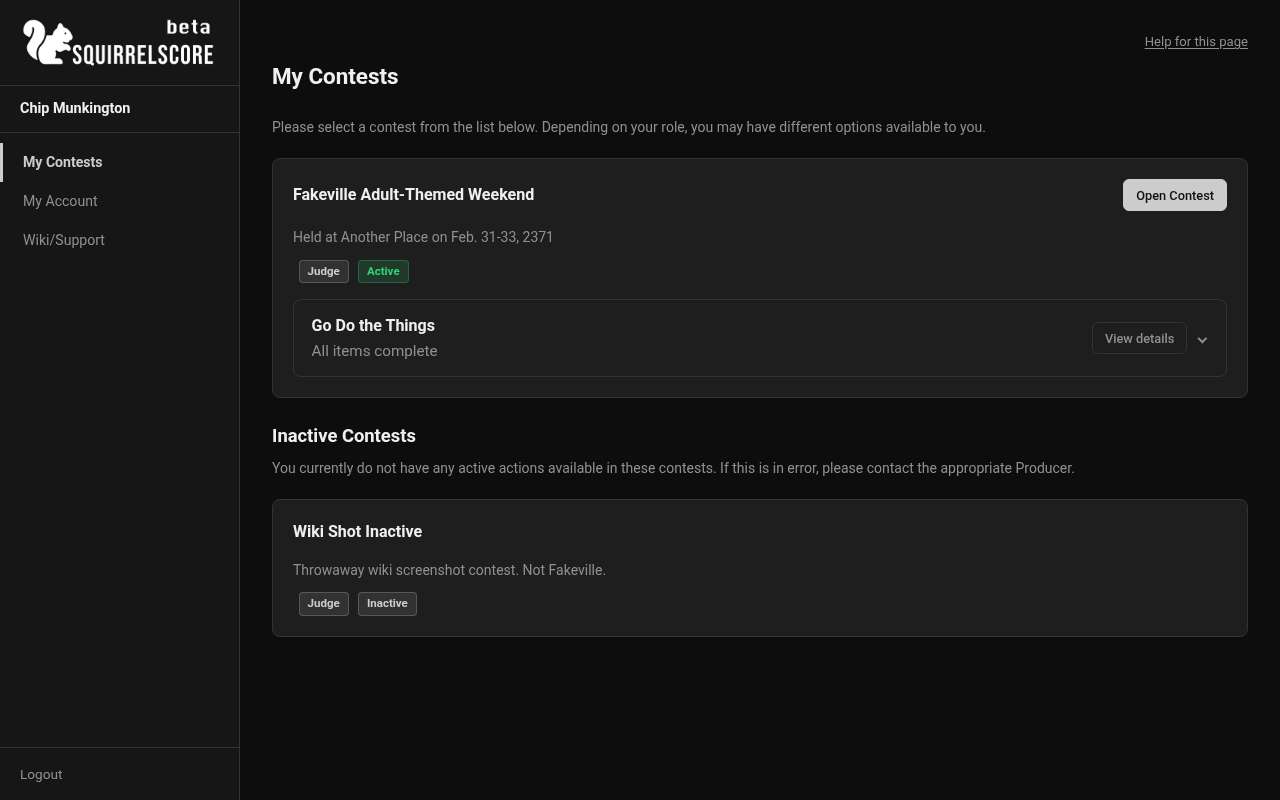
Desktop — Inactive Contests section (judge My Contests)
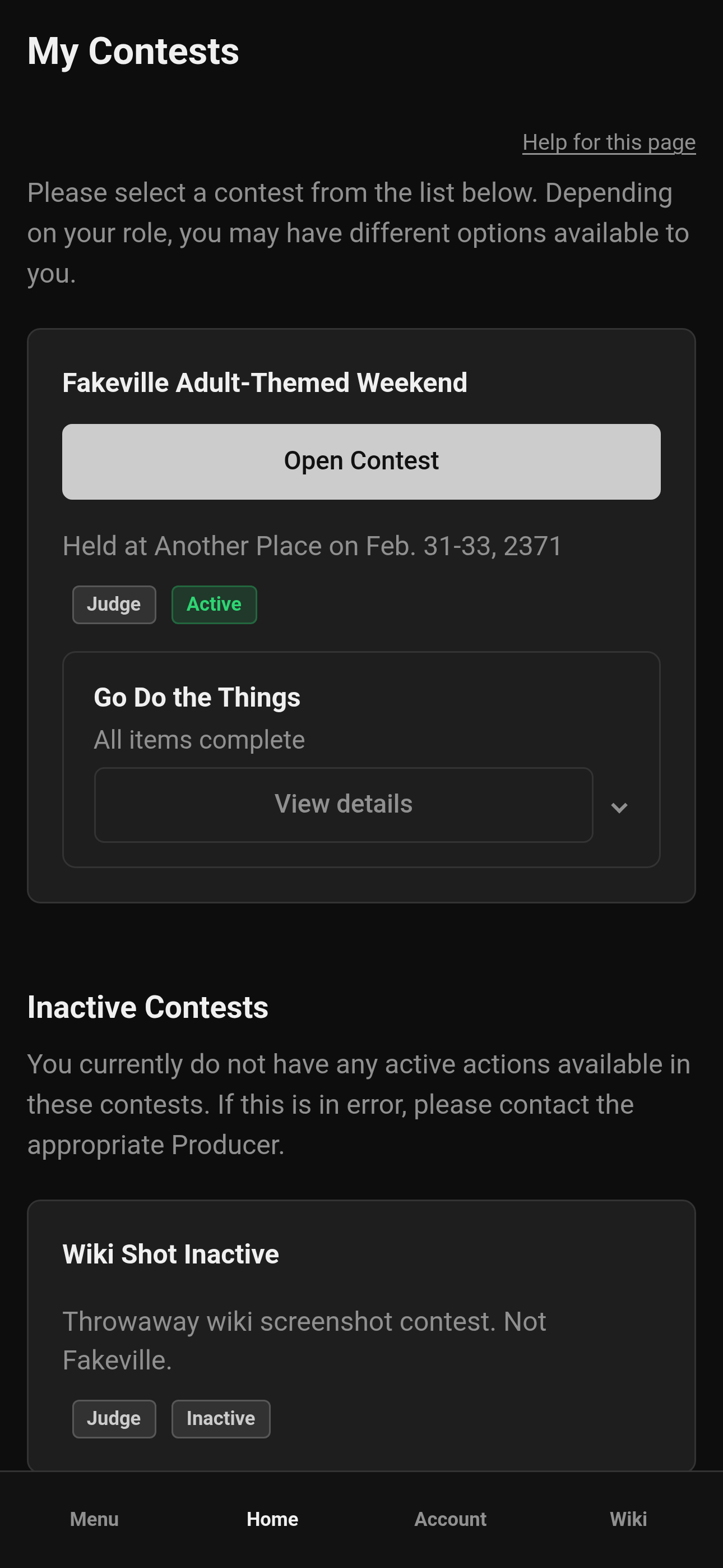
Mobile — Inactive Contests section (judge My Contests)
¶ Tips
-
If both lists are empty, you're not enrolled yet — or you're looking at the wrong account. Try logging out and back in, or ask your producer. Producers with no contests yet will see a prompt to create one.
-
Active contests are for live work (scoring, forms). Inactive contests are for wrap-up: producers still work them; other roles usually wait in Inactive Contests until there's something they can do (like released contestant results).
-
On a phone or tablet, tap Menu on the bottom bar, then pick your page — see Mobile usage.
-
Need a different contest? Selecting a contest has the switcher walkthrough.
¶ Common Mistakes
-
Opening the first contest on the list because it "looks familiar" (double-check the title, date, and role badge)
-
Hunting for Manage on a Judge card (producers manage; judges score) — open the Producer card if you have one
-
Assuming My Results is empty because something broke — release rules may not be met yet
-
Treating Inactive Contests as a broken list — those cards are informational until the producer reactivates the contest or releases results
¶ Frequently Asked Questions
Why do I see fewer buttons than my friend?
Different roles, different tools. Compare menus only with someone who has the same role on the same contest. Check the role badge on the card.
Can I pin a favorite contest?
Use a browser bookmark once you're inside the contest page you need most.
I'm a judge for one contest and a contestant for another - where do I start?
Stay on My Contests. You'll see both cards, each with its own role badge. Click the actions on the card for the hat you're wearing right now. The sidebar follows that choice. Ask your producer if a contest or role is missing.
Why is a contest I know about sitting under Inactive Contests?
The contest is inactive (or, for contestants, results aren't released yet). You can see that you belong to it, but you can't open scoring or other tools from those cards. Contact the producer if that looks wrong.